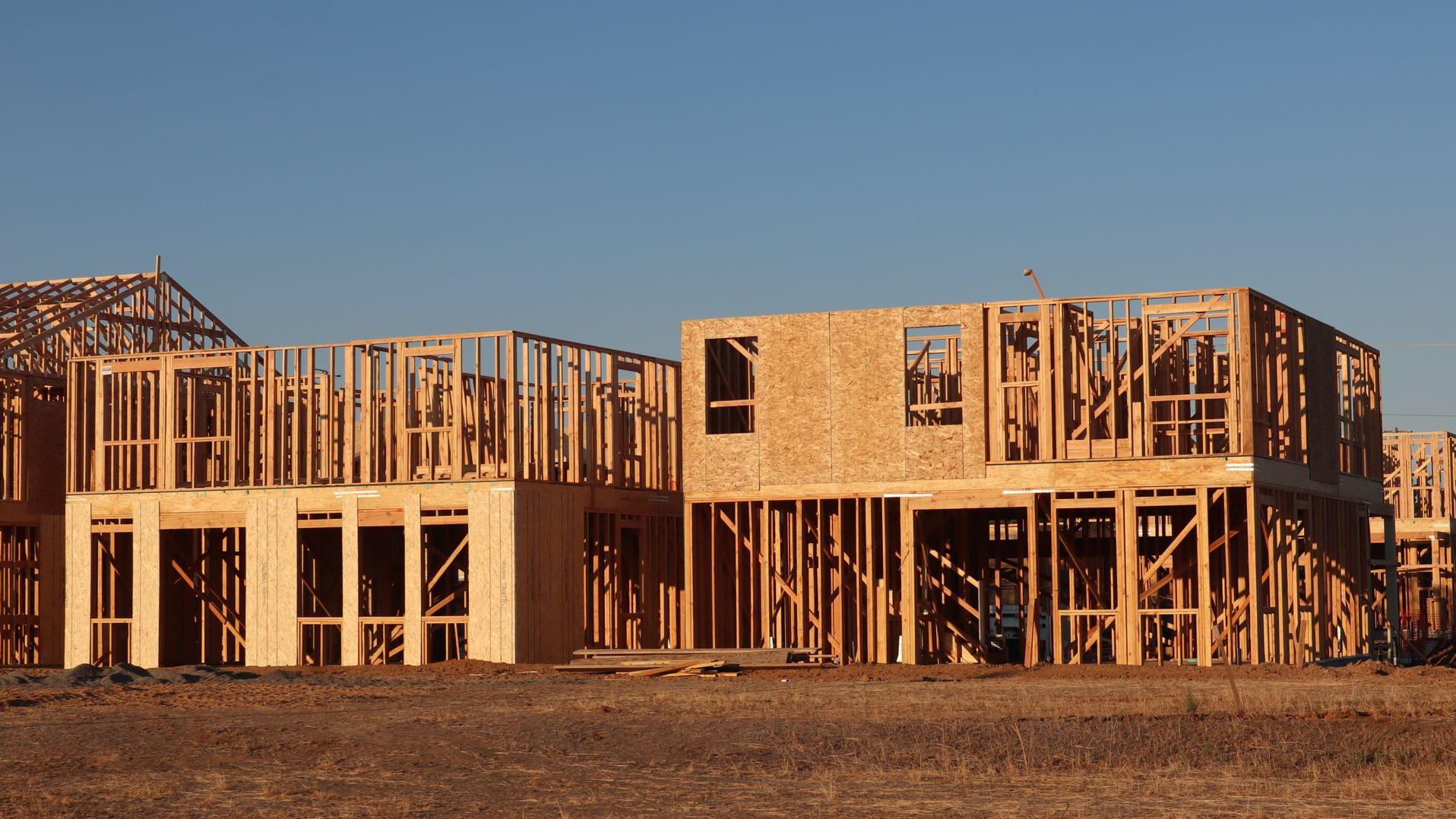

Timber-framed houses under construction in low evening sun

For construction, remodeling, plumbing, HVAC, electrical and roofing companies

One brain for the whole job.

Find the work, win it, plan it, staff it, do it, get paid. One system, with AI doing the paperwork.

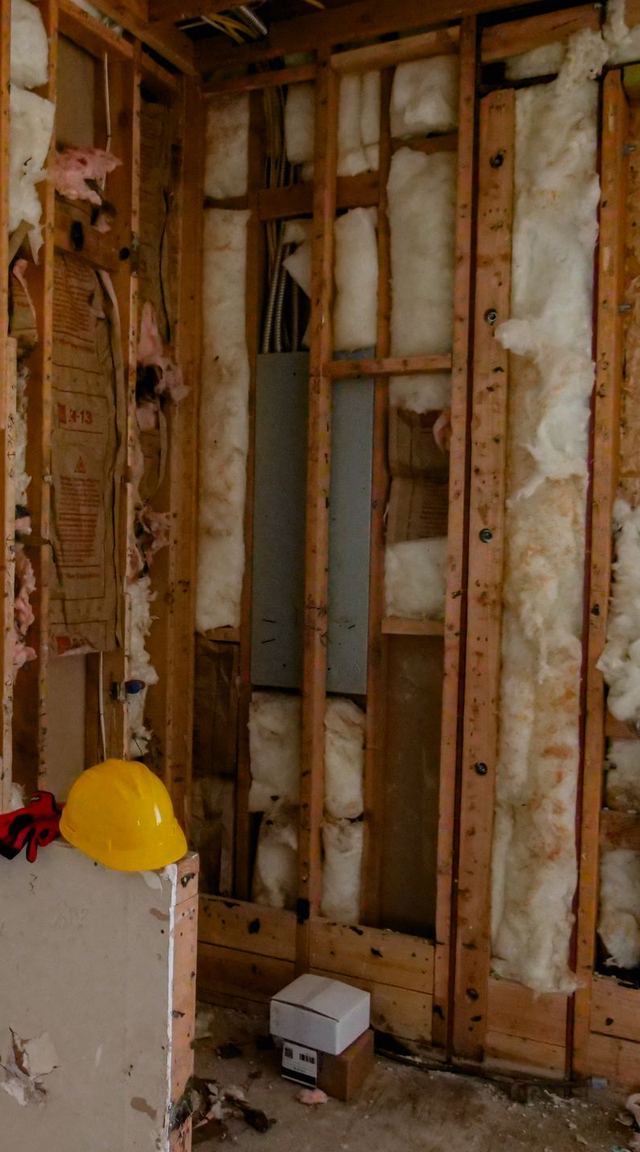
Interior wall stripped back to the studs during a renovation, a hard hat on the floor

Six places where a contracting business quietly loses money

Finding work

Work comes by luck

Referrals dry up without warning. You hear about bids and permits after someone else has won them.

Quoting

Quotes go out late

Written at night from memory. By the time it is sent, the customer has hired someone else.

Closing

Handshake deals

Paper contracts, verbal change orders, and work that starts before the deposit arrives.

Projects

Profit is a surprise

A project is twenty visits on a whiteboard. You learn it lost money after it is finished.

People

It is all in your head

Who is free, who is qualified, which subcontractor still has insurance. Only you know.

Field and cash

No proof, slow money

Tickets come back saying “fixed”. Invoices go out days later and get chased by phone.

None of this is a people problem. It is what happens when the business runs on memory.

Eight tools, and you are the only thing connecting them

  1. Facebook and texts where leads arrive
  2. Excel quotes and price lists
  3. Word and paper proposals and contracts
  4. Whiteboard the schedule
  5. WhatsApp groups crew and subcontractors
  6. Paper tickets what happened on site
  7. Phone camera roll job photos
  8. QuickBooks invoices, typed again
Aerial view of a long timber-framed building with roof sheathing going on

Twelve steps, entered once, handed over automatically

steps
12
automatic handoffs
2
system
1

Find work

  1. 01

    Get found

    Microsite, SEO, AI search, videos, social posts

  2. 02

    Find work

    Daily radar of bids, permits and land sales

  3. 03

    Lead

    Every source in one inbox

  4. 04

    Pipeline

    Stages, follow-ups, forecast

Win it

  1. 05

    Estimate

    Site survey and AI quote

  2. 06

    Proposal and contract

    E-sign and deposit

Deliver

  1. 07

    Project

    Created when the contract is signed

    Automatic handoff

  2. 08

    Tasks

    Broken down with dependencies

  3. 09

    Assign

    Employees and subcontractors

  4. 10

    Dispatch

    Board, map, schedule

    Automatic handoff

  5. 11

    On site

    Check-in, checklist, photos, signature

Get paid

  1. 12

    Get paid

    Invoice, card payment, accounting sync

Two automatic handoffs hold it together: a signed contract creates the project, and every field task becomes a work order on the dispatch board.

Eleven modules, one customer record

Pick a module to see what changes on the day you switch it on.

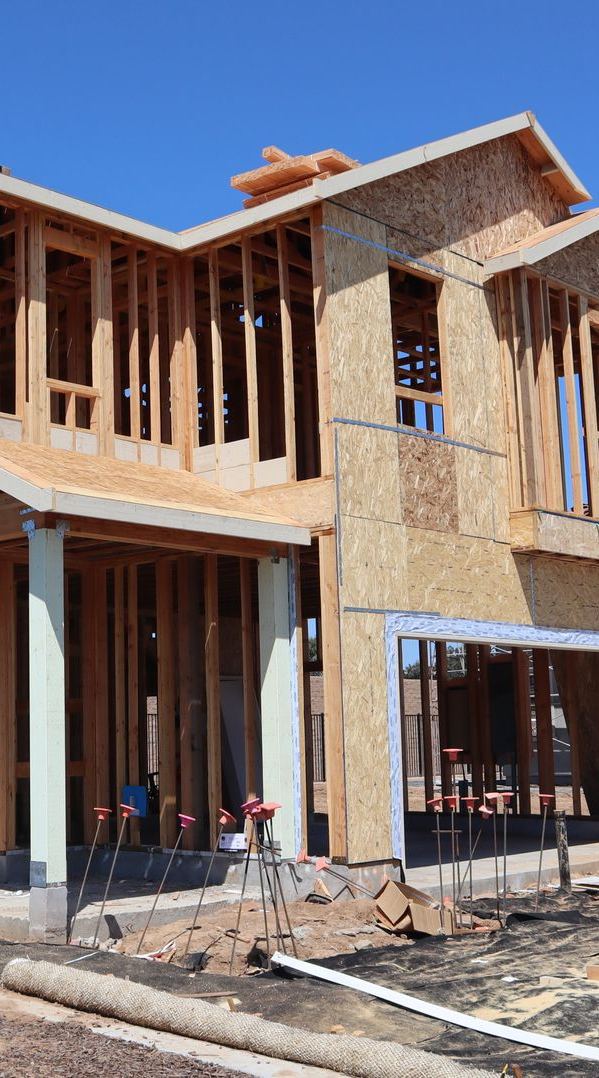
Two-storey timber-framed house under construction

Find work / Leads Radar

Stop hearing about the job after someone else won it

Today

  • Bids and permits are scattered across dozens of state, county and city sites
  • Nobody has time to check them every morning
  • You hear about a project when another crew is already on site
  • Foreclosure and land deals move in a 10-day window you never see

With FieldsBrain

  • Daily radar: new bids, building permits, land auctions and foreclosure sales, collected before 7 am
  • Your filters: county, service radius, trade and budget range
  • AI score: 0 to 100 for fit, with a one-line reason
  • Contacts filled in: owner and contractor details from public records
  • One click: a signal becomes a lead in your pipeline
Used by
Owner, sales
Replaces
Checking bid and permit sites by hand

Be the first call, not the fifth.

Completed modern two-storey house with a timber garage door and a lawn

Find work / Microsite and AI search

Be the company Google and ChatGPT recommend

Today

  • Your website is a five-year-old template nobody updates
  • You are invisible for “AC repair near me”
  • Customers now ask ChatGPT who to hire, and it has never heard of you
  • Your best reviews and before/after photos sit in a phone

With FieldsBrain

  • AI-built site: written from your real services, prices and licence
  • A page per service and city: built only where you have real jobs and reviews
  • Real proof: reviews and job photos published with customer consent
  • Readable by AI: answer pages and llms.txt that assistants can quote
  • AI visibility: see how often ChatGPT, Perplexity and Gemini mention you
Used by
Owner, marketing
Replaces
The template website

Every form on the site drops straight into your pipeline.

Finished white kitchen with a marble island and pendant lights

Find work / Video and social

Your finished jobs are your best ads

Today

  • No time, no budget and no skills for video
  • Posting to five platforms means doing it five times
  • Agencies cost thousands and do not know your trade
  • No idea which post brought which customer

With FieldsBrain

  • Case videos: before/after photos plus the customer review become a 30-second clip
  • Service promos: 15, 30 or 60 seconds, with voice-over and captions
  • Edit in the browser: change a line, swap a photo, re-record the voice
  • One click: Facebook, Instagram, TikTok, YouTube Shorts and LinkedIn, each in the right size
  • Tracked: every post is tied to the leads and revenue it brought
Used by
Marketing, office
Replaces
Agencies and posting by hand

Marketing that runs itself after each completed job.

A tradesperson in work overalls, wrench in hand, shaking hands with a customer

Find work / Leads and pipeline

No lead left in someone’s text messages

Today

  • Leads arrive by phone, text, Facebook and web form, and live in five places
  • Follow-up depends on memory
  • You cannot tell how much work is really coming next month
  • When a salesperson leaves, their customers leave too

With FieldsBrain

  • One inbox: every source, duplicates merged automatically
  • Response clock: auto-assign and a 15-minute first-contact reminder
  • Pipeline board: drag deals through stages and see a weighted forecast
  • One timeline per customer: calls, emails, texts and notes
  • AI assistant: suggests the next step and drafts the follow-up
Used by
Sales, owner
Replaces
Texts, sticky notes, spreadsheets

The customer record belongs to the company, not to one phone.

A man in a hard hat checking a wall with a spirit level, drawings in hand

Win it / Survey and estimate

Quote the same day, and know your margin

Today

  • Quotes written at night and sent days late
  • Prices from memory; margin is a guess
  • Site visit notes and photos get lost
  • One price: take it or leave it

With FieldsBrain

  • AI quote: drafts the line items from the job description and photos
  • Online approval: the customer reviews and signs from a link
  • Survey in the app: checklist, photos and measurements
  • Margin on every line: cost, profit, and approval when it is too low
  • Three options: good, better and best in one quote
Used by
Estimator, sales
Replaces
Quotes built in Excel

The first quote in the customer’s inbox usually wins.

A hand signing a printed agreement with a pen

Win it / Proposal and contract

From “yes” to signed and deposit paid, in one sitting

Today

  • Proposals rebuilt in Word every time
  • Contracts printed, signed, scanned and lost
  • Work starts before the deposit arrives
  • Change orders agreed verbally and disputed later

With FieldsBrain

  • Branded proposal: from a template, with photos, options and case videos
  • Read receipts: see when the customer opens it and what they choose
  • E-signature: name, time, IP address and document fingerprint on record
  • Deposit on signing: the invoice goes out automatically and is paid by card
  • Change orders: signed online, and the project budget updates itself
Used by
Sales, owner
Replaces
Word, printing and scanning

No signature, no start. No arguments later.

Two people reviewing a tablet inside a house under renovation

Deliver / Projects and tasks

Every project on one page: schedule, budget, profit

Today

  • A project is twenty visits, tracked on a whiteboard
  • One delay silently pushes everything else
  • You learn the job lost money after it is finished
  • Progress payments are forgotten or sent late

With FieldsBrain

  • Automatic start: a signed contract creates the project from your template
  • AI task plan: drafts the breakdown from the contract scope
  • Four views: list, board, Gantt chart and calendar
  • Live budget: labour hours, materials and subcontractor bills against the plan
  • Milestone billing: finish a stage and the progress invoice is drafted
Used by
Project manager
Replaces
The whiteboard

Know you are over budget in week two, not at the final invoice.

Crew in hi-vis vests and hard hats levelling freshly poured concrete, seen from above

Deliver / Crew and subcontractors

The right person on every job, employee or subcontractor

Today

  • Who is free and who is qualified lives in your head
  • A subcontractor’s insurance expired and nobody noticed
  • Subs do not use your system, so you chase updates by phone
  • Subcontractor bills arrive as photos of paper

With FieldsBrain

  • Skills on file: certificates, rates, working hours and time off
  • Smart assignment: ranked by skill, distance, availability and rate
  • Compliance alerts: insurance and licence expiry; expired means no assignment
  • Easy for subs: accept jobs and upload photos in the app or on a web page
  • Bills to cost: reviewed, posted to the project and synced to accounting
Used by
Dispatcher, project manager
Replaces
Chat groups and phone calls

Your subcontractors work like part of your team.

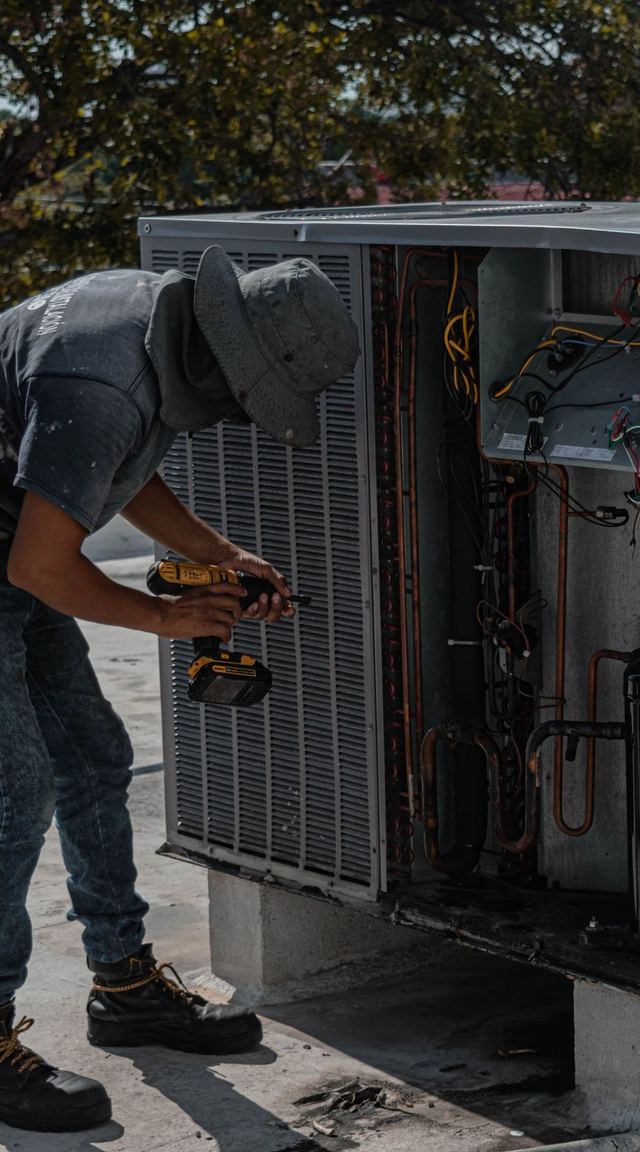
Technician servicing a rooftop air-conditioning unit

Deliver / Dispatch and field

Know what happened on site without calling anyone

Today

  • “Where is your tech?” You do not know either
  • Tickets come back saying only “fixed”
  • No photos, no signature, no proof when a customer disputes
  • Rescheduling means five phone calls

With FieldsBrain

  • Dispatch board and live map: assign with a conflict check
  • Technician app: today’s jobs, navigation and GPS check-in
  • Proof of work: checklists, required photos and a customer signature
  • AI field advisor: send a photo, get troubleshooting steps
  • AI visit summary: written for you when the job closes
Used by
Dispatcher, technicians
Replaces
Paper tickets

Every job leaves a record you can show the customer.

A customer tapping a bank card on a handheld card reader

Get paid / Invoicing and payment

Invoice the moment the job is done

Today

  • Invoices typed at the kitchen table at night
  • Unpaid invoices chased by phone
  • Card, cheque and cash tracked in different places
  • Everything typed again into QuickBooks

With FieldsBrain

  • One-click invoice: created from the completed work order
  • Pay online: the customer pays by card from a link or the portal
  • Offline payments: cheque and cash recorded on the same invoice
  • Accounting sync: QuickBooks and Xero, no retyping
  • Job costing: revenue, parts cost and margin per job
Used by
Office, owner
Replaces
Typing every invoice twice

Shorter time between “done” and “paid”.

Inspector in a hard hat and hi-vis vest checking a window in a finished room

Get paid / Customer experience

Customers who feel informed come back

Today

  • Customers call to ask when you are coming
  • They cannot find their quote or invoice
  • Happy customers are never asked for a review
  • One-off jobs never turn into regular work

With FieldsBrain

  • Customer portal: estimates, jobs and invoices in one place, no password
  • Live tracking: the customer sees the technician on the map
  • Online booking: your own page, link and QR code
  • Review requests: sent after every completed job
  • Maintenance contracts: recurring visits scheduled automatically
Used by
Your customers
Replaces
“Where are you?” phone calls

A finished job becomes a review, a referral and the next contract.

Looking up into a riveted structural steel frame

The brain behind every step

AI does the paperwork. Your people make the decisions.

Leads Quote Contract Project Crew Field Payment Marketing AI
  • Scores every opportunity

    Ranks bids, permits and leads by how well they fit your trade and area.

  • Drafts the follow-up

    Reads the customer timeline and writes the next email or text.

  • Quotes from a description

    Turns a request and its photos into priced line items.

  • Writes the proposal

    Drafts the scope and approach from the survey results.

  • Plans the project

    Breaks the contract into tasks, using your past projects.

  • Picks the crew

    Recommends who to send, by skill, distance and schedule.

  • Advises on site

    A technician sends a photo and gets troubleshooting steps.

  • Writes the visit summary

    A clear report for the customer when the job closes.

  • Makes the marketing

    Videos, posts, web pages and answers for AI search.

Every AI result is labelled and editable. If the AI is unavailable, the system falls back to built-in rules and says so.

Technician app · iOS and Android · live today

Everything the crew needs, in one pocket

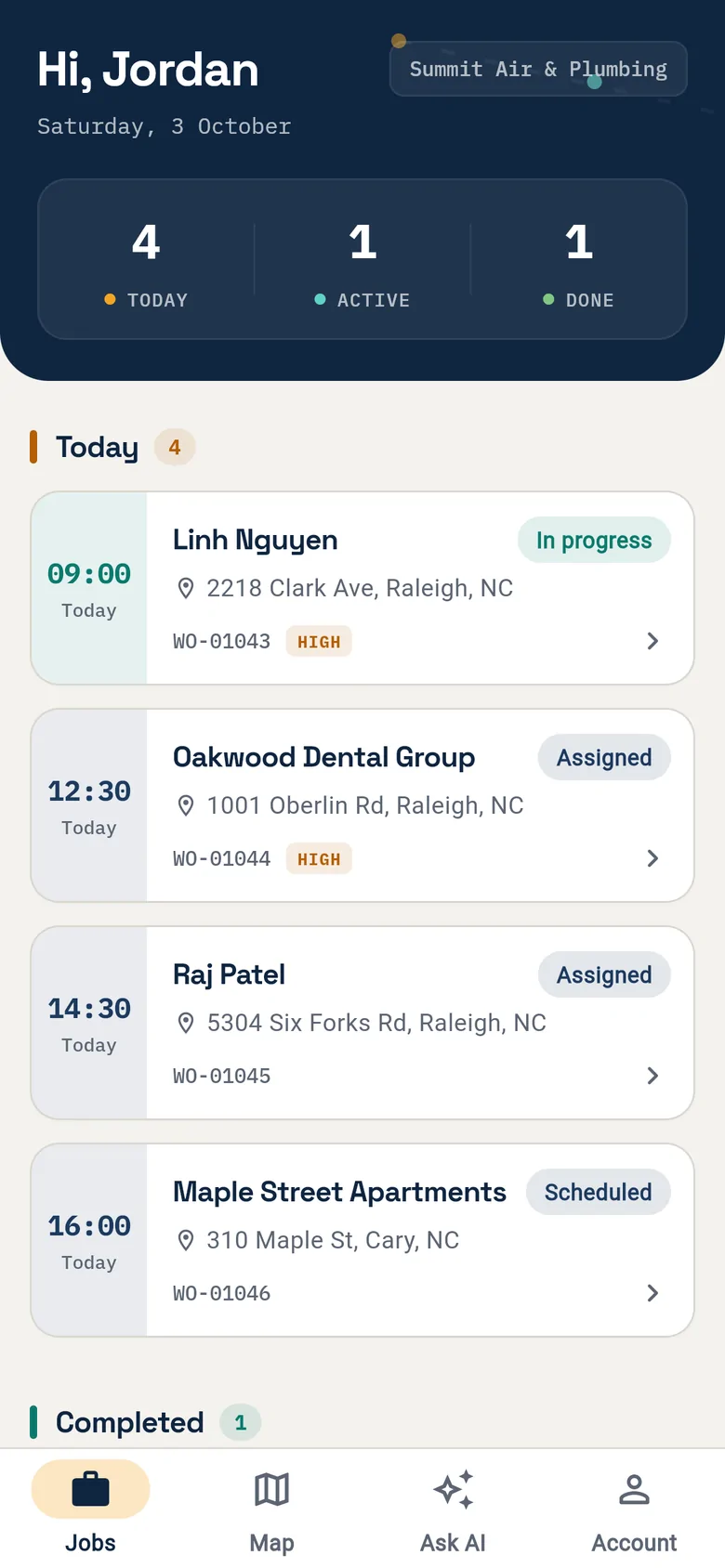
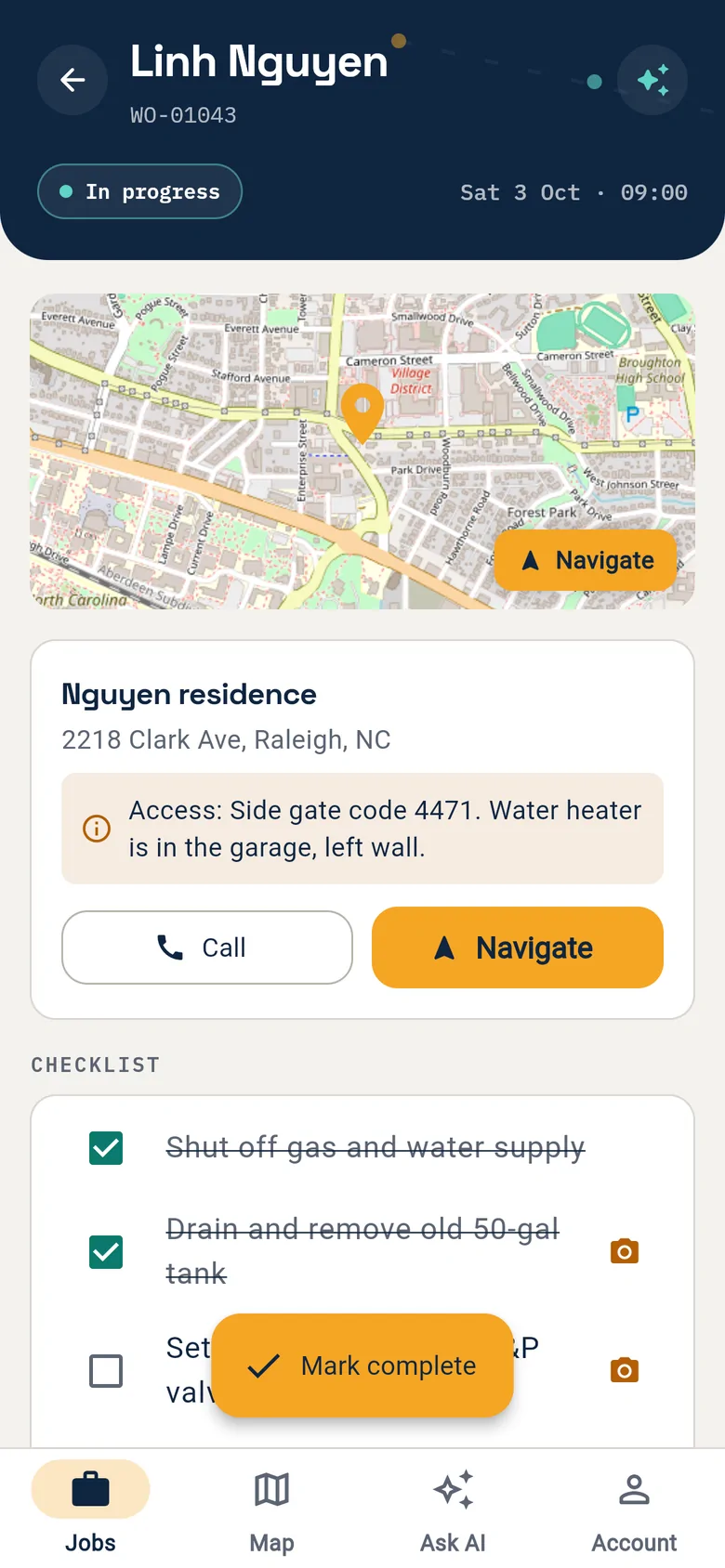
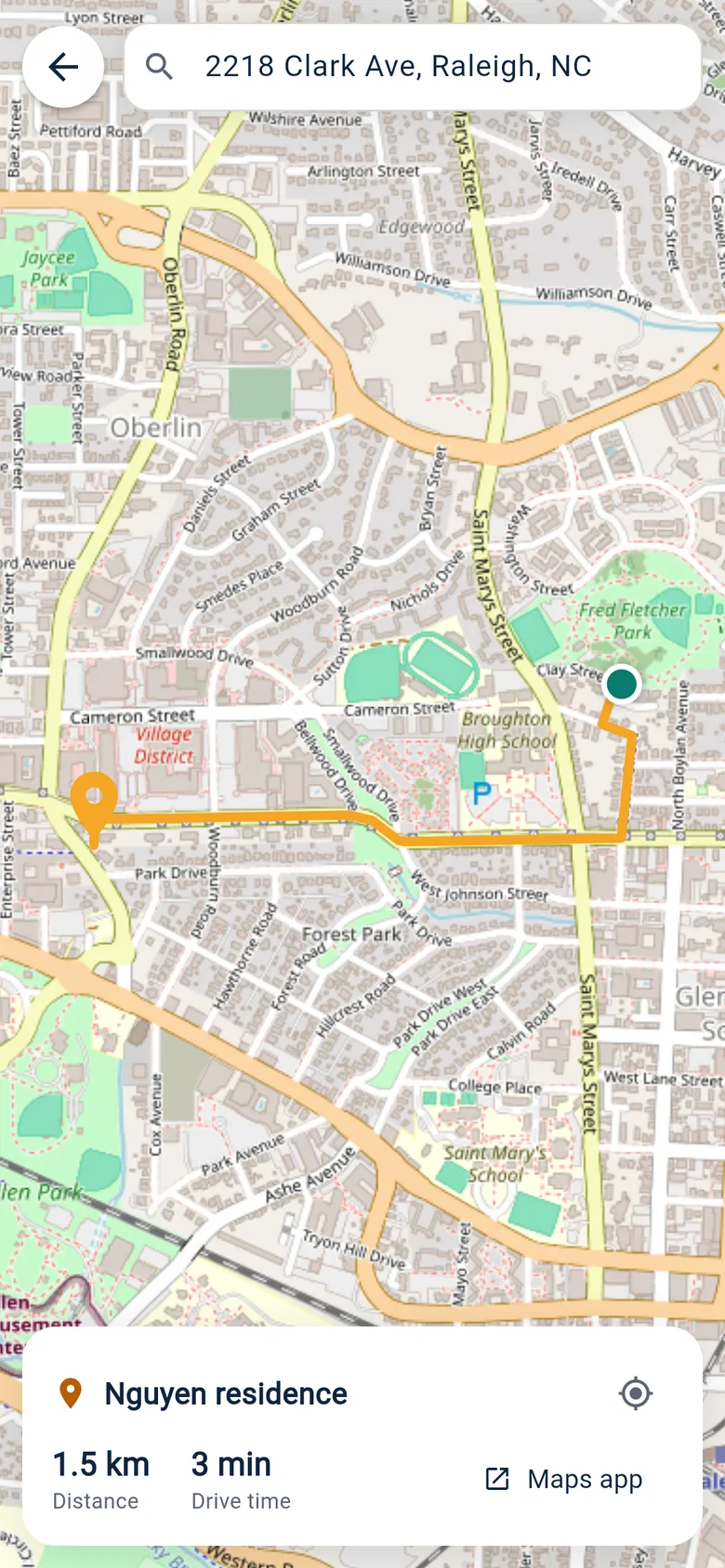
This is the app your technicians use on site today. Their jobs, directions, checklist, photos, the customer’s signature and an AI advisor are all in one place, and every check-in, photo and signature reaches the office straight away.

  1. Technician app: Today’s jobs

    01Today’s jobs

    Times, addresses and priority, with a count of what is active and done.

  2. Technician app: The job on one screen

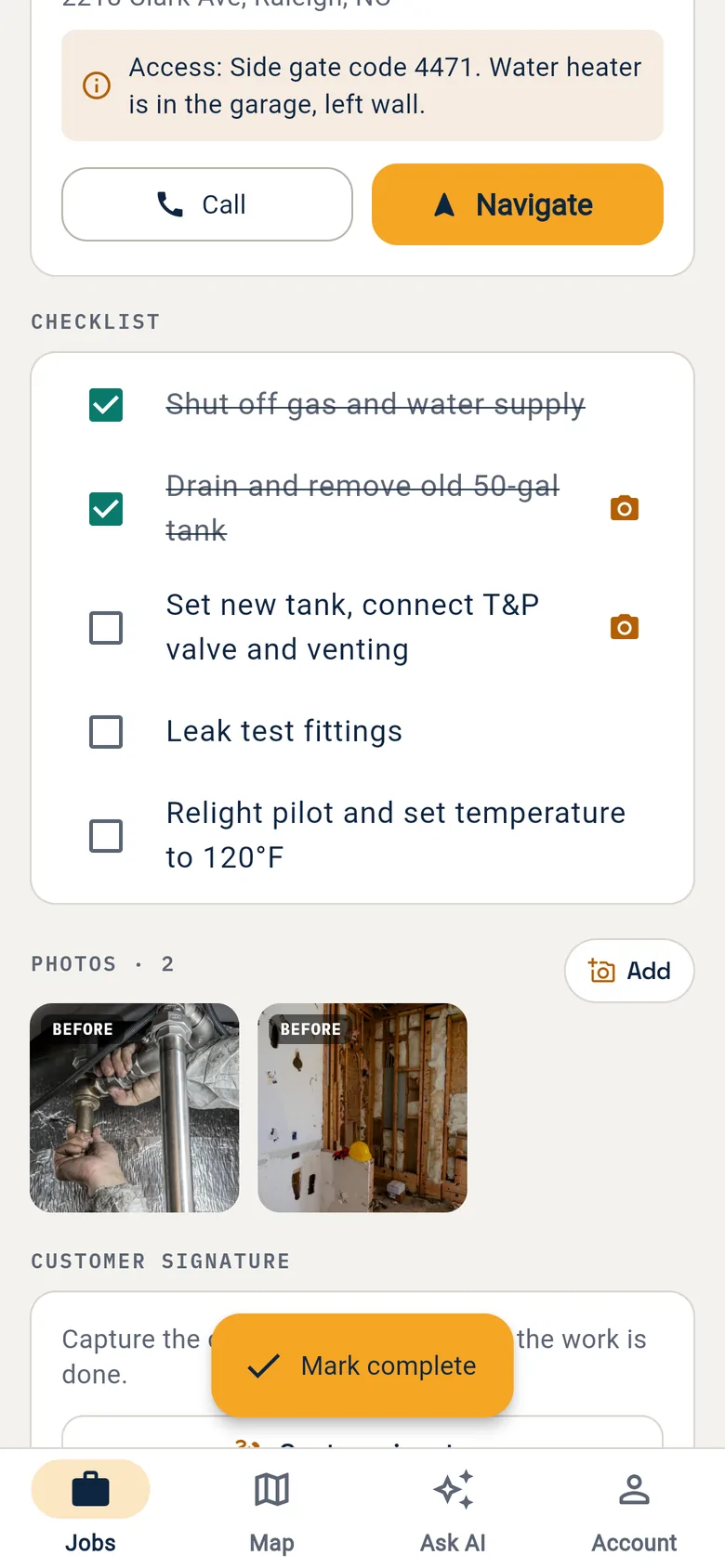
    02The job on one screen

    Access notes, one-tap call and navigation, and the checklist.

  3. Technician app: Directions to the door

    03Directions to the door

    Route, distance and drive time in the app, or hand off to the phone’s maps.

  4. Technician app: Proof of work

    04Proof of work

    Checklist steps that need a photo, and before and after photos on the job.

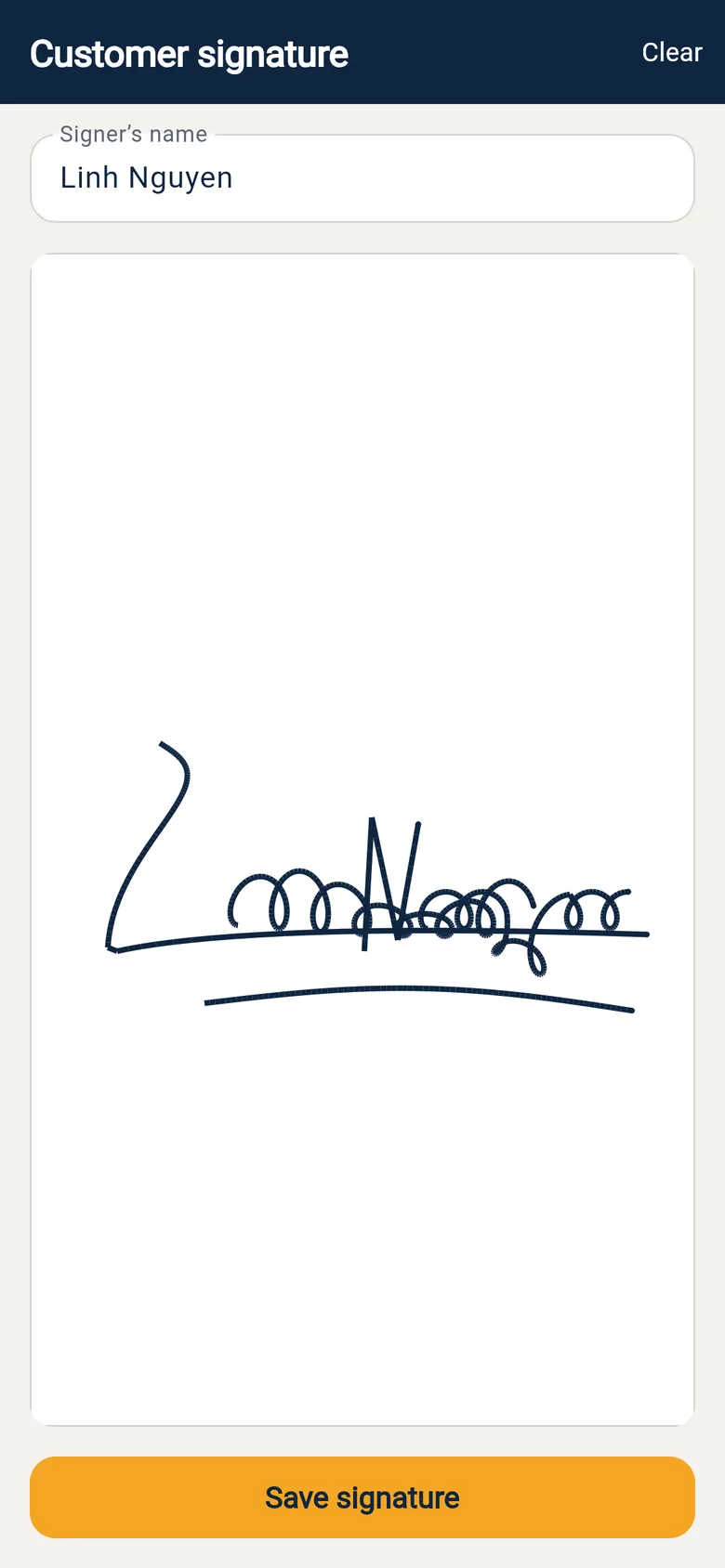
  5. Technician app: Customer signature

    05Customer signature

    The customer signs on the phone before the job closes.

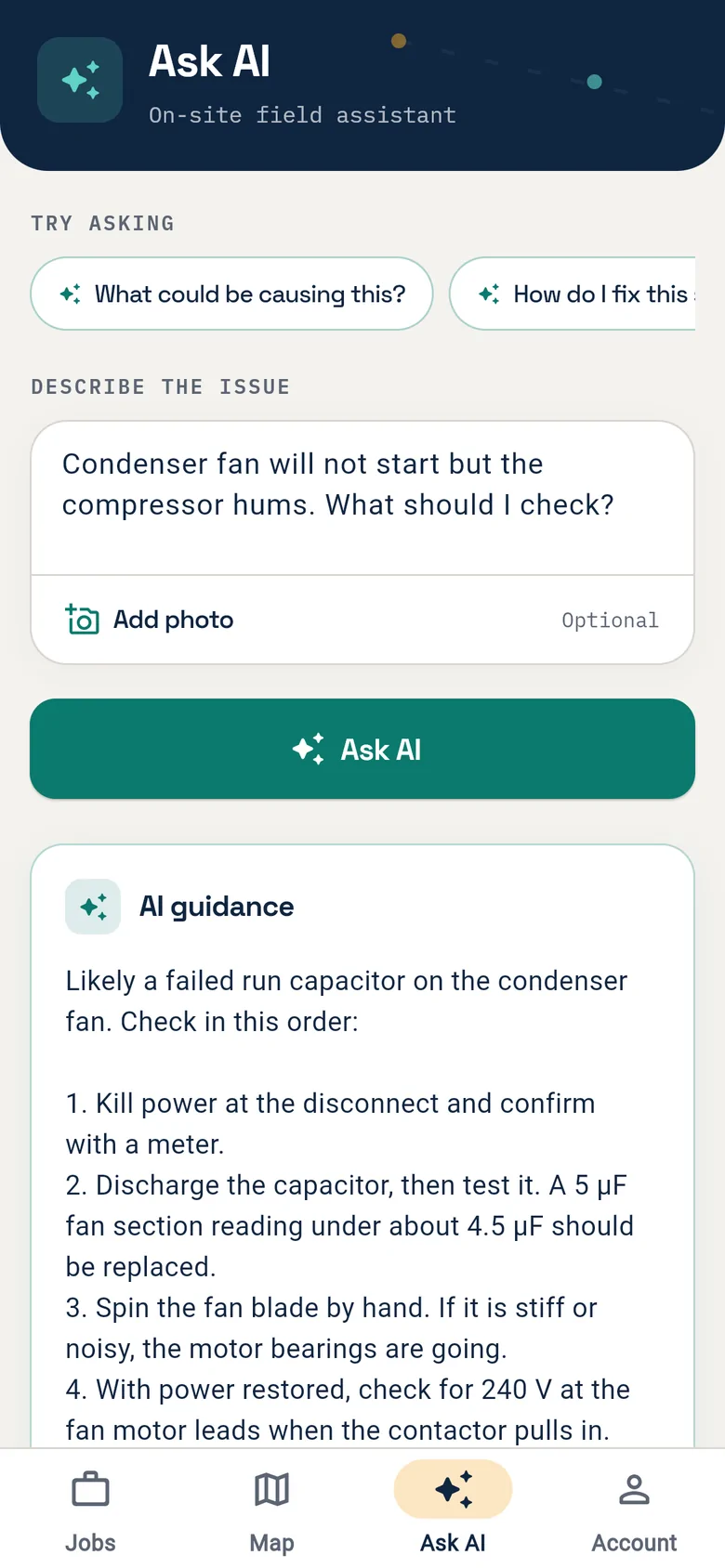
  6. Technician app: AI advisor on site

    06AI advisor on site

    Describe the problem, add a photo, get step-by-step checks.

Screens from the current release with sample data from the demo company. The app is in English today.

The same six days, before and after

Day Before With FieldsBrain
Mon Check five websites for bids; miss two Radar digest at 7 am, ranked by fit
Tue Site visit, notes on paper, quote “this week” Survey in the app, AI quote sent the same day
Wed Print the contract, drive over for a signature Signed online, deposit paid by card
Thu Rebuild the whiteboard, text the crew Project and work orders created automatically
Fri Call three techs to ask what got done Photos, checklists and signatures already in
Sat Kitchen table: invoices and guesswork Invoices sent, margin per job on the dashboard

Same crew, same customers, same week.

A tradesperson getting out of a work van in front of a house

Better days for everyone who touches the job

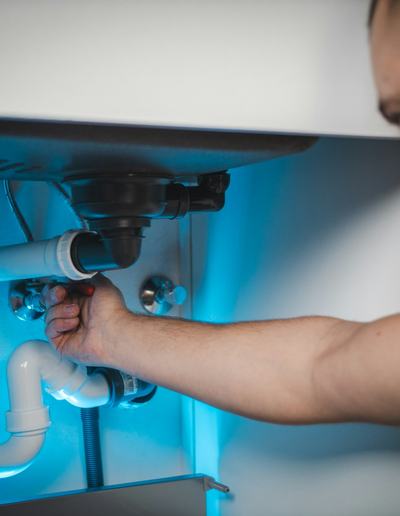
Plumber fitting a waste pipe under a sink
Plumbing
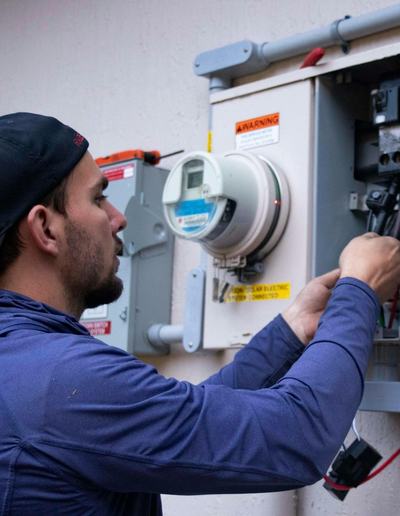
Electrician working at an outdoor meter panel
Electrical
Roofer in a hard hat and harness hammering on a roof deck
Roofing
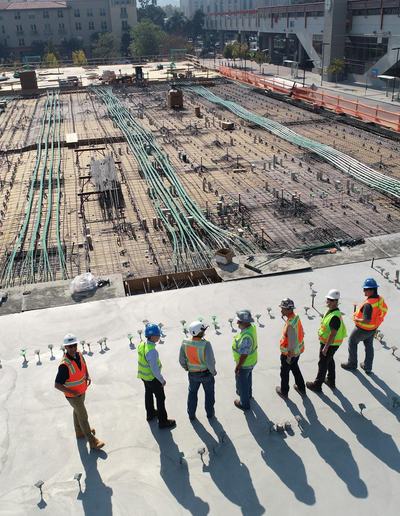
Site crew standing in a line on a concrete slab, casting long shadows
Site crew
Owner
Pipeline, cash and profit per project on one screen. The business keeps running when you take a day off. Leads and pipeline Projects and tasks Invoicing and payment
Office and dispatch
One board instead of a whiteboard and five chat groups. Reschedule by dragging, not by calling. Dispatch and field Crew and subcontractors Invoicing and payment
Sales
Every lead in one inbox, reminders for every follow-up, quotes and proposals in minutes. Leads and pipeline Survey and estimate Proposal and contract
Project manager
Tasks, dependencies, budget and subcontractors in one place. Problems show up early. Projects and tasks Crew and subcontractors Proposal and contract
Technicians and subs
Today’s jobs, directions, checklists and an AI advisor in the pocket. No paperwork at night. Dispatch and field Crew and subcontractors
Your customers
Book online, approve and sign on the phone, watch the technician arrive, pay by card. Customer experience Proposal and contract Invoicing and payment

Twenty-two capabilities, one subscription

Find work5

  • Microsite, SEO and AI search
  • Leads Radar (North Carolina)
  • Ad videos and social posting
  • Leads and pipeline
  • Online booking and request inbox

Win it5

  • Site surveys and margin
  • AI quoting and estimates
  • Proposals and e-sign contracts
  • Online approval and signature
  • Deposits and progress billing

Deliver7

  • Projects, tasks and Gantt
  • Subcontractor management
  • Time tracking and project cost
  • Dispatch board, map and schedule
  • Technician mobile app
  • Checklists, photos, signatures
  • AI field advisor and summaries

Get paid5

  • Invoices and card payments
  • QuickBooks and Xero sync
  • Customer portal and tracking
  • Maintenance contracts
  • Review requests

Switch modules on as you need them. Your customers, jobs and history stay where they are.

Platform brief for investors

Contractors do not need another tool. They need the gaps closed.

A contracting business runs on eight disconnected tools and one person’s memory. FieldsBrain puts the whole job on one record.

12
steps covered
11
modules
9
AI assistants
6
trades served
5
payment gateways
Open the platform deck
  1. Full lifecycle, one record

    Twelve steps from first signal to final payment share one customer record. Data is entered once and handed over automatically.

  2. Demand comes first

    Leads Radar, microsite, search and social sit in the same system as dispatch and billing, so marketing ties back to revenue.

  3. AI inside every step

    Nine assistants draft quotes, plans, summaries and marketing. Results are labelled and editable, with built-in rules as the fallback.

  4. A subscription that grows with the crew

    Plans scale by technician count and features. New modules land in existing accounts, with customers and history in place.

  5. Built to plug in

    Multi-tenant SaaS with a web workspace, iOS and Android app, customer portal, REST API and webhooks.

  6. North Carolina first

    Leads Radar starts with North Carolina bids, building permits, land auctions and foreclosure sales.

Plans that grow with your crew

Start free for 14 days. Upgrade as you add technicians.

Start

$699.00 / mo

  • Up to 10 technicians
  • Dispatch board
  • Customer portal
  • WhatsApp & SMS
  • Invoicing & payments
  • Recurring contracts
  • AI quoting & summaries
  • Automated review requests
Start with Start

Enterprise

$9,999.00 / mo

  • Unlimited technicians
  • Dispatch board
  • Customer portal
  • WhatsApp & SMS
  • Reports & BI
  • API & integrations
  • Invoicing & payments
  • Recurring contracts
  • AI quoting & summaries
  • QuickBooks & Xero sync
  • Automated review requests
Start with Enterprise

Questions, answered

Who is FieldsBrain for?

Companies that work by the project and by the visit: construction, remodeling, plumbing, HVAC, electrical and roofing. It fits a three-person crew and a contractor running several crews with subcontractors.

Do my technicians need the web dashboard?

No. Technicians work from the mobile app: today’s jobs, navigation, check-in, checklists, photos and signatures. The office runs the web workspace.

How do subcontractors take part?

They accept jobs and upload photos in the app or on a web page. Their insurance and licence dates are on file, and an expired document blocks assignment.

What happens when the AI gets it wrong?

Every AI result is labelled and editable before it reaches a customer. If the AI is unavailable, the system falls back to built-in rules and says so.

Can I take payment on the spot?

Yes. The invoice is created from the completed work order and the customer pays by card from a link or the portal. Cheque and cash are recorded on the same invoice.

Does it work with my accounting software?

Invoices and payments sync to QuickBooks and Xero, so nothing is typed twice.

Can I start small?

Yes. Many companies start with booking, dispatch and invoicing, then switch on projects, subcontractors and marketing. Your customers, jobs and history stay where they are.

Tower cranes silhouetted against the sky at dusk

See it with your own jobs in mind

Try the live demo in two minutes.

Owner login
[email protected]
Technician
[email protected]
Password
fieldsbrain-demo

A demo company with sample customers, jobs and invoices. It resets every night, so try anything.

Open the demo
Scan with your phone camera