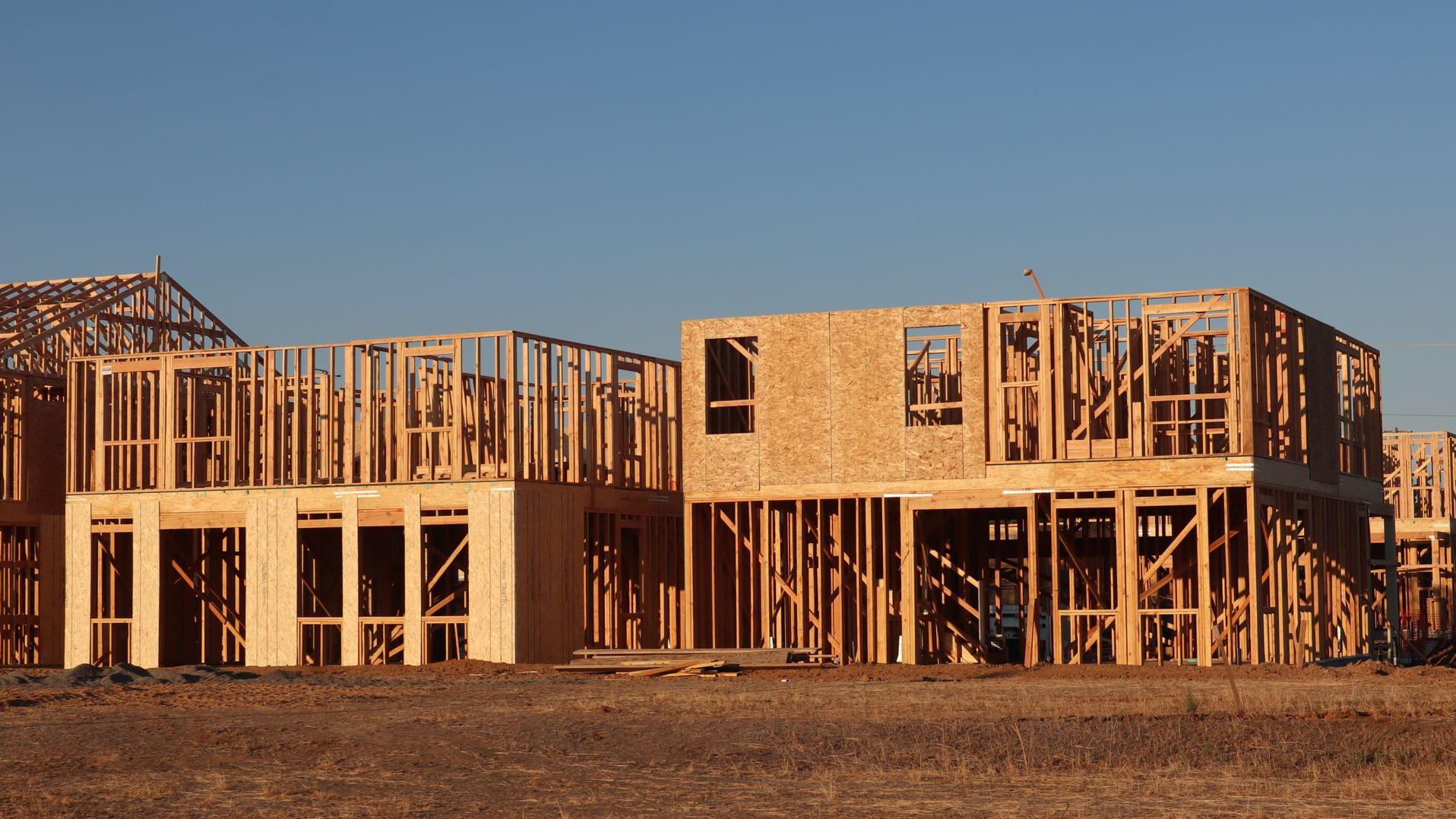
Timber-framed houses under construction in low evening sun
FieldsBrainEngineering consultancy edition · Development plan v2.2 · 2026-10工程咨询版 · 二次开发策划案 v2.2 · 2026-10
For principals and project managers of civil engineering, land development and site design consultancies写给土木工程、土地开发与场地设计咨询公司的负责人和项目经理

From proposal
to permit to payment.
从方案到许可,
再到回款。

One system for the work of an engineering practice: win it, plan it, staff it, deliver it, get it approved and get paid — with SharePoint still holding the drawings, and AI drafting but never deciding.一套系统管一家工程咨询公司的全部工作:赢单、计划、派人、交付、送审、回款。图纸仍留在 SharePoint;AI 只起草,不拍板。
Site layout场地布置Grading竖向平整Stormwater雨洪Utilities市政管线Erosion control水土保持Roadway道路Permitting许可报批Surveying测量
Project项目 Engineering consultancy edition工程咨询版全流程平台
Photo照片 New subdivision at framing stage, evening新建住宅区框架阶段,傍晚
Rev.版本 2026.10 · v2.2
Sheet图号 01 / 33
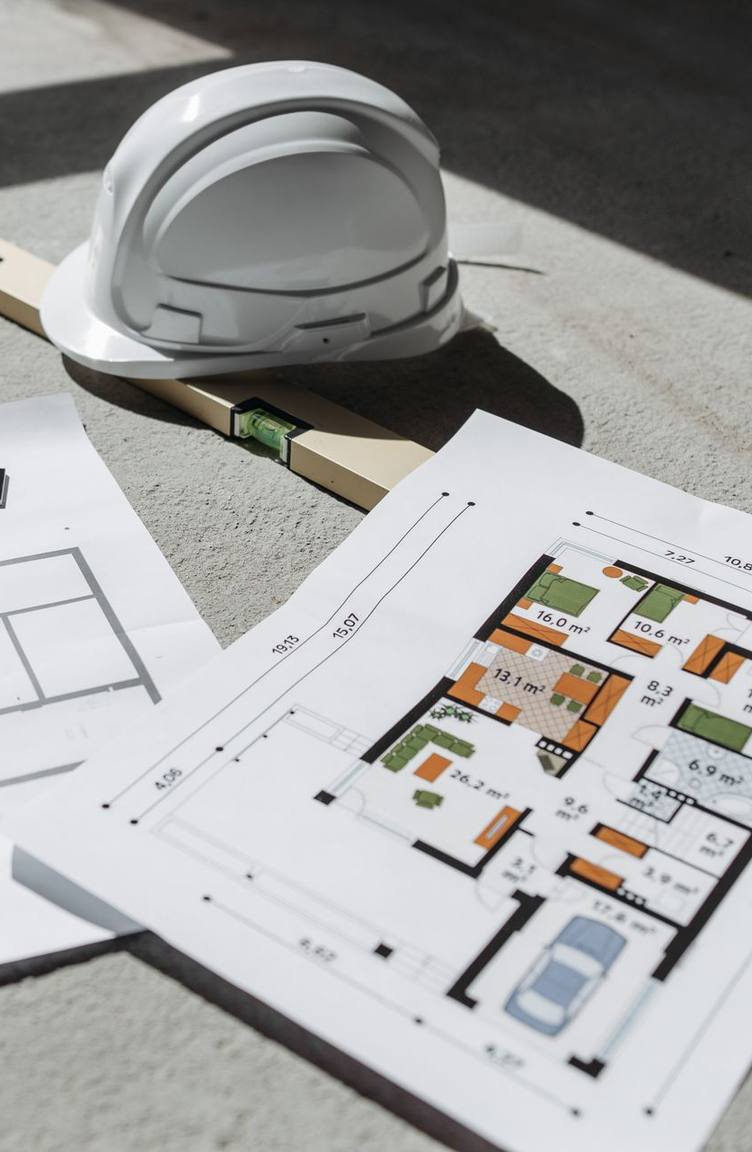
Floor plans, a spirit level and a hard hat lying on a concrete slab02
Fig. 02 — Drawings and a hard hat on the slab图 02 — 混凝土地面上的图纸与安全帽
Sound familiar?是不是很熟悉?

Six places where an engineering practice quietly loses margin工程咨询公司悄悄亏掉利润的六个地方

01Timesheets工时

Hours arrive late, unlinked工时交得晚,挂不上项目

Filled in on Friday from memory, often without a project or phase. Labour cost per project is a guess.周五凭记忆补填,常常没挂项目或阶段。每个项目的人工成本只能靠猜。

02Deliverables成果物

"Done" means three things“完成”有三种意思

Done internally, accepted by the client, approved by the agency — tracked in three inboxes, so nobody knows which.内部完成、客户接受、机构批准——散在三个邮箱里,没人说得清到底到了哪一步。

03Scope范围

Changes are worked before they are approved变更先干后批

Extra scope is discovered at month-end as unbilled work.多干的范围到月底才发现,成了收不回的账。

04Sales销售

The same client typed four times同一个客户录四遍

Proposal in Word, contract in another template, project set up again, invoice typed into QuickBooks.方案在 Word,合同另一个模板,项目再建一遍,发票在 QuickBooks 再录一遍。

05Clients客户

Status lives in your inbox进度全在你邮箱里

Clients email for milestones, invoices and the latest transmittal; someone digs them out by hand.客户来邮件问里程碑、发票和最新发文,有人手工翻出来回复。

06Numbers经营数字

Utilization, WIP and AR arrive late利用率、WIP、应收都滞后

You learn which project lost money a quarter after it closed.哪个项目亏了钱,要到结项一个季度后才知道。

None of this is a people problem. It is what happens when a practice runs on spreadsheets and memory.这些都不是人的问题,而是公司靠表格和记性运转的结果。

FieldsBrain
Section图名 The problem问题
Sheet图号 02 / 33
Two people reviewing a tablet inside a house under renovation
Fig. 03 — Reviewing drawings on a tablet, mid-build图 03 — 施工中,在平板上审图

What it costs you代价是什么

  • Client, scope and fee data re-entered in four or five places客户、范围、费用要在四五处重复录入
  • Nothing warns you when a review, submission or invoice is late评审、报送、发票晚了,没有任何提醒
  • Nobody can answer "is this project making money?" before it ends结项前没人答得上“这个项目赚不赚钱”
  • Every integration is a person — usually the project manager系统之间的所有衔接都是人在做——通常是项目经理

FieldsBrain replaces the gaps between the tools. SharePoint stays where it is.FieldsBrain 补的是工具之间的断点。SharePoint 原样保留。

The real problem真正的问题

Eight tools, and the project manager is the only thing connecting them八样工具,中间全靠项目经理一个人在串

01
Outlook & phoneOutlook 和电话leads and inquiries线索与询盘
02
ExcelExcelfee estimates by discipline按专业的费用估算
03
WordWordproposals and contracts方案与合同
04
SharePointSharePointdrawings and calcs — stays the source of truth图纸与计算书——继续作为真源
05
Excel timesheetsExcel 工时表hours, typed again for billing工时,开票时再录一遍
06
Email邮件client reviews, agency submissions, transmittals客户评审、机构报送、发文
07
QuickBooks / XeroQuickBooks / Xeroinvoices and payments发票与收款
08
PowerPointPowerPointthe monthly report, assembled by hand月报,手工拼出来
FieldsBrain
Section图名 The problem问题
Sheet图号 03 / 33
Aerial view of a long timber-framed building with roof sheathing going on
The whole practice, one system整个公司,一套系统

Eight modules, entered once, handed over automatically八大模块,信息只录一次,自动往下传

8client modules个客户模块
6run daily operations个支撑日常运营
1system套系统
Fig. 04 — Long building under construction, from above图 04 — 俯瞰:在建的长条形建筑
01

Lead & inquiry线索与询盘

One record per client, every contact and follow-up一客户一档,联系人与跟进齐全

02

Fee estimate费用估算

By discipline, phase and labour category按专业、阶段、工时类别

03

Proposal方案

Scope, exclusions, options; the client decides online范围、排除项、选项;客户在线决定

04

Contract & e-sign合同与电子签署

Value, terms, billing method, payment schedule合同额、条款、计费方式、付款计划

05

Project & WBS项目与 WBS

Created when the contract takes effect合同生效即自动建项目

06

Time & expenses工时与费用

Every entry tied to a project; weekly approval每条都挂项目;按周审批

07

Deliverables成果物

By discipline; files stay in SharePoint按专业管理;文件留在 SharePoint

08

Reviews & permits评审与许可

Internal, client, agency — three separate tracks内部、客户、机构三条独立轨道

09

Change orders变更单

Warned before work proceeds动工前先预警

10

Invoice & payment开票与收款

Drafts from approved work; pay online; books synced按批准工作生成草稿;在线付款;同步会计

11

Client portal客户门户

Status, documents, approvals, payments进度、文件、审批、付款

12

Dashboard & AI看板与 AI

WIP, utilization, margin; AI drafts, people decideWIP、利用率、毛利;AI 起草,人拍板

Three automatic handoffs hold it together: a signed contract creates the project; approved time, expenses and milestones become invoice drafts; approved deliverables appear in the client portal. Orange bar = new in this plan; no bar = extends what already exists.三个自动衔接点把链条串起来:合同签署自动建项目;批准的工时、费用和里程碑自动生成发票草稿;批准的成果物自动出现在客户门户。橙色横条 = 本案新建;无横条 = 在现有能力上扩展。

FieldsBrain
Section图名 The system全流程
Sheet图号 04 / 33
What the client asked for · Eight core functional modules客户的需求 · 八大核心功能模块

Every requested module has a home, an owner and a phase每个需求模块都有归属、对应模块和交付阶段

Client module (PDF)客户模块(需求文档)
Delivered by对应模块
In the code today当前代码
Phase交付阶段
1 · Project management & milestones1 · 项目管理与里程碑
M6 + M14
Work orders only; no project / WBS只有工单,没有项目 / WBS
1
2 · Time tracking & resource planning2 · 员工工时与资源规划Essential
M13
Missing缺失
0 → 2 · 4
3 · Design production & deliverables3 · 设计生产与成果物管理Essential
M14
Missing缺失
2
4 · CRM, estimates, proposals, contracts4 · CRM、估价、方案、合同
M2 – M5
Estimates partly there; the rest missing估价部分可用,其余缺失
1
5 · Client portal5 · 客户门户Essential
M15
Basic estimate / job / invoice portal with magic link基础门户:估价、工单、发票,免密链接登录
3
6 · Billing, change orders, financial control6 · 计费、变更单与财务控制
M5 + M16
Invoices, payments and accounting sync partly there发票、收款、会计同步部分可用
3
7 · Management dashboard & analytics7 · 管理看板与分析
M17
Basic revenue / job reports基础营收 / 工单报表
4
8 · AI assistant & workflow automation8 · AI 助手与流程自动化
M18
AI runner and a few helpers; no governance loop有 AI 运行底座和少量助手,没有治理链路
5

The brief says modules 1–6 run daily operations and 7–8 improve financial control and scalability. We keep that order: the first six form one minimum loop. Growth modules from the earlier plan — marketing, Leads Radar, microsite/SEO, video, AI renderings — follow once the core loop is in production.需求文档说模块 1–6 支撑日常运营,7–8 提升财务控制与扩展性,本案照此排序:前六个模块构成一个最小闭环。原策划案里的增长模块——营销、Leads Radar、微站/SEO、视频、AI 效果图——放到核心闭环上线之后。

FieldsBrain
Section图名 Scope范围
Sheet图号 05 / 33
Crew in hi-vis vests and hard hats levelling freshly poured concrete, seen from above06
Basis依据
Repository snapshot, 2026-10-21代码快照 2026-10-21
Keep保留
The platform — not rewritten平台不重写
Rule原则
Reusing the base ≠ module done复用底座 ≠ 模块已完成
Fig. 06 — Levelling the slab before anything goes up图 06 — 先把底板找平,再往上建
Where we start · Code baseline起点 · 代码基线Verified in code已核对代码

Build on what works. Don't mistake it for finished.在现有基础上建,但别把底座当成品。

Not in the code yet当前代码里没有

Must be built必须新建

  • Leads, pipeline and deals线索、管道、商机
  • Proposals with options and client decisions带选项和客户决定的方案
  • Sales contracts (maintenance contracts are a different thing)销售合同(维护合同不是一回事)
  • Projects, phases, tasks, dependencies, budgets项目、阶段、任务、依赖、预算
  • Timesheets, expenses, approvals, capacity工时、费用、审批、产能
  • Deliverables, reviews, SharePoint sync成果物、评审、SharePoint 同步
  • Change control, WIP, AR aging, project analytics, governance AI变更控制、WIP、应收账龄、项目级分析、治理类 AI
Already in the repository仓库里已经有

Reused as the base作为底座复用

  • Multi-tenancy: tenant scope, roles, permissions, plan features多租户:租户隔离、角色、权限、套餐开关
  • Estimates: line items, approval links, PDF — to be extended with versions, disciplines and rate cards估价:行项目、审批链接、PDF——扩展版本、专业和费率卡
  • Work orders and the Flutter field app: dispatch, checklists, photos, signatures工单与 Flutter 现场 App:派工、清单、照片、签字
  • Invoices, payments, QuickBooks / Xero sync发票、收款、QuickBooks / Xero 同步
  • Client portal with passwordless login — identity model to be re-reviewed客户门户,免密登录——身份模型要重新评审
  • AI runner with usage metering and existing helpersAI 运行底座,带用量计量和现有助手
  • State machines, queues, notifications and the service-layer conventions状态机、队列、通知和服务层约定

Note备注"Reuse" means the technical base — not that the business module exists.“复用”指的是技术底座,不代表业务模块已经存在。

FieldsBrain
Section图名 Baseline基线
Sheet图号 06 / 33
Completed modern two-storey house with a timber garage door and a lawn07
Outcome结果
One real project, end to end一个真实项目跑通全程
Pilot试点
The firm that wrote the brief提出需求文档的这家公司
Window窗口
About 50 weeks, 7 phases约 50 周,7 个阶段
Fig. 07 — Finished and handed over图 07 — 完工交付
Phase one result一期结果

One tenant, one real project, no re-typing from proposal to payment一个租户、一个真实项目,从方案到回款不重复录入

Client / deal客户 / 商机Estimate / proposal估价 / 方案Contract合同Project / WBS项目 / WBSTime & deliverables工时与成果物Change control变更控制Invoice / payment开票 / 收款Portal门户Analytics经营分析
  • No duplicate entry of client, amount, scope or project identity客户、金额、范围、项目标识不重复录入
  • Every formal time entry tied to a project — ideally a phase or task每条正式工时挂项目,尽量挂到阶段或任务
  • Internal done, client accepted, agency approved: three independent, traceable states内部完成、客户接受、机构批准:三个独立且可追溯的状态
  • The portal never exposes hours, cost, profit, internal comments or other clients' data门户不暴露工时、成本、利润、内部评语和其他客户的数据
  • AI searches, summarises, flags and drafts — it never posts, issues, executes or approvesAI 只检索、总结、预警、起草——不记账、不出票、不签约、不审批
  • Amounts, states and external callbacks are idempotent and audited金额、状态和外部回调都幂等,并留有审计记录

Not in phase one: replacing AutoCAD / Civil 3D, SharePoint or the general ledger; filing with agencies automatically; globally optimal scheduling; AI writing to financial, contract or approval states; claiming e-signature compliance in every jurisdiction before legal review.一期不做:替代 AutoCAD / Civil 3D、SharePoint 或总账;自动向审批机构报送;全局最优排班;AI 直接写入财务、合同或审批状态;在法务评审前宣称电子签署在所有法域合规。

FieldsBrain
Section图名 Outcome目标
Sheet图号 07 / 33
A hand signing a printed agreement with a pen08
Module模块
CRM · Estimate · Proposal · ContractCRM · 估价 · 方案 · 合同
Used by使用者
Principals, PMs, admin负责人、项目经理、行政
Replaces取代
Outlook, Excel and WordOutlook、Excel 和 Word
Fig. 08 — Signing the agreement图 08 — 签署协议
Winning the work · M2 – M5赢单 · M2 – M5New · phase 1新建 · 阶段 1Estimates extended估价扩展

Proposal to contract to project, entered once方案 → 合同 → 项目,只录一次

Existing现状

Today现在的样子

  • Leads in email and memory; follow-up depends on who remembers线索在邮箱和脑子里,跟进看谁记得
  • Fees estimated in Excel — no versions, no link to the contractExcel 估费,没有版本,和合同不关联
  • Proposals in Word; nobody knows who opened it or chose which option方案在 Word 里,没人知道谁打开过、选了哪个选项
  • Contract value, terms and billing method typed again when the project starts立项时合同额、条款、计费方式再录一遍
Proposed方案

With FieldsBrain用上 FieldsBrain

  • One client record: several contacts and roles, project history, follow-up reminders (REQ-4.1, 4.2)一客户一档:多联系人与角色、项目历史、跟进提醒 (REQ-4.1, 4.2)
  • Estimates by discipline, phase and labour category, with rate cards, versions and options (REQ-4.4)按专业、阶段、工时类别估价,带费率卡、版本和方案选项 (REQ-4.4)
  • Proposals: versioned templates, scope, exclusions, assumptions; the client accepts and signs, requests a revision or declines online (REQ-4.3)方案:版本化模板、范围、排除项、假设;客户在线接受并签署、要求修订或拒绝 (REQ-4.3)
  • Sales contracts: clause snapshot, multi-party e-signature with an evidence pack, value, payment terms, billing method, schedule, amendments (REQ-4.5 – 4.7)销售合同:条款快照、多方电子签署与证据包、合同额、付款条件、计费方式、付款计划、修订 (REQ-4.5 – 4.7)
  • Idempotent conversion: when the contract takes effect, the project, phases, budget and deliverable list are created once — never twice (REQ-4.C1)幂等转化:合同生效时,项目、阶段、预算、成果物清单只创建一次——绝不重复 (REQ-4.C1)

Note备注A frozen proposal version becomes the contract. A draft never does.只有冻结的方案版本能生成合同,草稿永远不能。
FieldsBrain
Section图名 Sales to contract销售到合同
Sheet图号 08 / 33
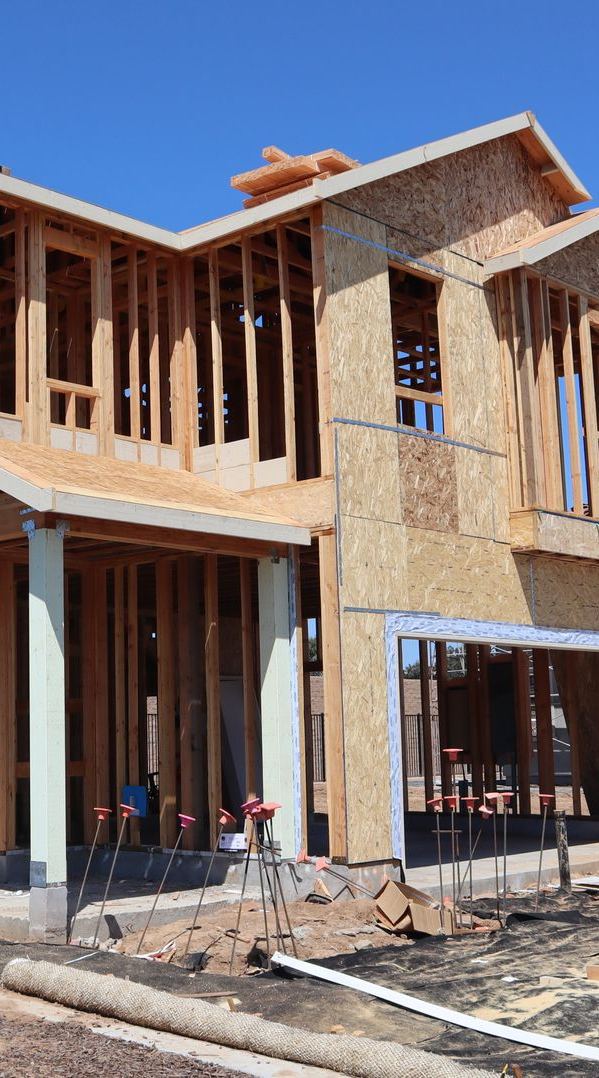
Two-storey timber-framed house under construction09
Module模块
Projects · Milestones · WBS项目 · 里程碑 · WBS
Used by使用者
Project managers, design leads项目经理、专业负责人
Replaces取代
Whiteboard, Excel, Outlook白板、Excel、Outlook
Fig. 09 — A project at framing stage图 09 — 框架阶段的项目
Running the project · M6项目执行 · M6New · phase 1新建 · 阶段 1

A project that knows what is blocked, late and awaiting approval一个项目自己知道哪里卡住、哪里延期、哪里在等审批

Existing现状

Today现在的样子

  • Project set up by hand from the contract; number, value and PM retyped项目靠手工照合同建,编号、金额、项目经理再录一遍
  • Tasks in Excel; dependencies in someone's head任务在 Excel,前后依赖在某个人脑子里
  • "Approved" is an email; nobody can show the gate afterwards“已批准”是一封邮件,事后没人拿得出关卡记录
  • Meeting notes and decisions in OneNote, not on the project会议记录和决策在 OneNote 里,不在项目上
Proposed方案

With FieldsBrain用上 FieldsBrain

  • Project record: number, client, location, contract value snapshot, PM, dates, status (REQ-1.1)项目档案:编号、客户、地点、合同额快照、项目经理、日期、状态 (REQ-1.1)
  • Phases, tasks, subtasks, dependencies and deadlines, with estimated hours per task (REQ-1.2, 2.7)阶段、任务、子任务、依赖、截止日,每个任务带估算工时 (REQ-1.2, 2.7)
  • Milestones and deliverables by discipline; milestones can carry payment points and gates (REQ-1.3)按专业的里程碑与成果物;里程碑可挂付款节点和关卡 (REQ-1.3)
  • Status, blockers, overdue tasks and approval gates as real objects with decisions, roles and audit (REQ-1.4)状态、阻塞、逾期任务、审批关卡都是真实对象,带决定、角色和审计 (REQ-1.4)
  • Links to proposals, contracts, change orders, drawings and invoices; a timeline of decisions, meetings and communications (REQ-1.5, 1.6)关联方案、合同、变更单、图纸和发票;决策、会议与沟通的时间线 (REQ-1.5, 1.6)

Note备注Field tasks still become work orders — bridged to the project, not merged into it.现场类任务仍然生成工单——与项目桥接,而不是合并。

FieldsBrain
Section图名 Projects项目
Sheet图号 09 / 33
Scaffolding against the sky with a worker in a hi-vis vest10
Module模块
Timesheets · Expenses · Capacity工时 · 费用 · 产能
Used by使用者
Everyone; supervisors approve全员填报;主管审批
Replaces取代
Excel timesheets and guessworkExcel 工时表和拍脑袋
Fig. 10 — Who is on the scaffold this week图 10 — 这周谁在架子上
Time and resources · M13工时与资源 · M13New · phases 0 – 2, 4新建 · 阶段 0 – 2、4

Every hour on a project. Every week, approved.每一小时都挂项目,每一周都经审批。

Existing现状

Today现在的样子

  • Hours filled in late, often without a project or phase工时补填,常常没有项目或阶段
  • Billable and non-billable mixed; overtime and leave tracked elsewhere可计费与不可计费混在一起,加班和请假另算
  • Nobody knows who is free next month until it is too late下个月谁有空没人知道,知道时已经晚了
  • Expenses and receipts turn up at the month-end invoice run — if at all费用和凭证月底开票时才出现——甚至不出现
Proposed方案

With FieldsBrain用上 FieldsBrain

  • Entry and timers on desktop and mobile: employee, date, project, phase / task, labour category, hours (REQ-2.1, 2.3)桌面和移动端录入、计时器:员工、日期、项目、阶段 / 任务、工时类别、小时数 (REQ-2.1, 2.3)
  • Billable vs non-billable, overtime, leave, holidays; work calendars and standard hours give one utilization denominator (REQ-2.2, 2.4)可计费 / 不可计费、加班、休假、假日;工作日历与标准工时给出统一的利用率分母 (REQ-2.2, 2.4)
  • Weekly submission, supervisor approval, rejection, resubmission and period lock (REQ-2.5)周提交、主管审批、驳回、重提、期间锁定 (REQ-2.5)
  • Expenses with receipts, submitted with the same week; approved items feed billing and project cost (REQ-6.5, 7.2)费用与凭证随同一周提交;批准后进入计费池和项目成本 (REQ-6.5, 7.2)
  • Workload, availability and future capacity, plus explainable staffing suggestions the PM accepts or overrides (REQ-2.6, 2.7; D5)负荷、可用性、未来产能,以及可解释的排班建议,由项目经理采纳或覆盖 (REQ-2.6, 2.7; D5)

REQ-2.C1REQ-2.C1No project, no time entry. Admin and training go to internal projects — the rule is never relaxed.没有项目,就没有工时。行政和培训记到内部项目上——规则不放松。

FieldsBrain
Section图名 Time & resources工时与资源
Sheet图号 10 / 33
A man in a hard hat checking a wall with a spirit level, drawings in hand11
Module模块
Deliverables · Reviews · SharePoint成果物 · 评审 · SharePoint
Used by使用者
Design leads, PMs, checkers专业负责人、项目经理、校审
Replaces取代
Email threads and file names as status邮件往来和靠文件名记状态
Fig. 11 — Checking the work against the drawings图 11 — 对照图纸检查
Design production · M14设计生产 · M14New · phase 2新建 · 阶段 2

Done inside is not accepted outside内部做完,不等于外部接受

Existing现状

Today现在的样子

  • Status lives in file names: _v3_FINAL_client_rev2.dwg状态写在文件名里:_v3_FINAL_client_rev2.dwg
  • Who prepared, checked and approved is a memory, not a record谁编制、谁校核、谁批准,靠记忆,没有记录
  • Agency comments and permit status sit in a PM's inbox机构意见和许可状态在项目经理的邮箱里
  • Transmittals assembled by hand; nobody can reproduce what was sent发文手工拼,事后没人能复现发了哪些版本
Proposed方案

With FieldsBrain用上 FieldsBrain

  • Deliverables by discipline — the eight in the brief, from site layout to surveying — tied to phases and milestones (REQ-3.1, 3.2)按专业的成果物清单——需求文档的八类,从场地到测量——挂到阶段和里程碑 (REQ-3.1, 3.2)
  • SharePoint stays the source of truth; FieldsBrain syncs references, versions, authors and links through Microsoft Graph — never the files (REQ-3.3; D2)SharePoint 仍是真源;FieldsBrain 通过 Microsoft Graph 同步引用、版本、修改人和链接——不存文件本体 (REQ-3.3; D2)
  • Three tracks — production, client review, agency approval — each decision bound to a specific version (REQ-3.4 – 3.6, 3.C1)三条轨道——生产、客户评审、机构审批——每个决定绑定具体版本 (REQ-3.4 – 3.6, 3.C1)
  • Prepared / checked / approved recorded per version, with time and evidence (REQ-3.8)编制 / 校核 / 批准按版本记录人、时间和证据 (REQ-3.8)
  • Transmittals with frozen version lists and receipts; agency submissions with tracking numbers, comments and deadlines, kept by hand (REQ-3.7; D3)发文带冻结的版本清单和签收;机构报送带跟踪号、意见和截止日,人工维护 (REQ-3.7; D3)

Note备注A new version never silently inherits the old version's approvals.新版本永远不会悄悄继承旧版本的批准。

FieldsBrain
Section图名 Deliverables成果物
Sheet图号 11 / 33
Design production · M14 · Status model设计生产 · M14 · 状态模型REQ-3.C1

One deliverable, three tracks that never push each other一个成果物,三条互不隐式推进的轨道

Production生产internal · production_status内部 · production_status
draftin_progressinternal_reviewinternally_approved
Client review客户评审client_review_statusclient_review_status
not_requirednot_sentin_reviewchanges_requested ↺accepted
Agency approval机构审批agency_status · kept by handagency_status · 人工维护
not_requirednot_submittedsubmittedcomments_receivedapprovedrejected

SharePoint sync rulesSharePoint 同步规则

  • Least-privilege tenant connection; encrypted credentials; webhook clientState checked; subscriptions renewed before expiry租户级最小权限连接;凭证加密;校验 webhook clientState;订阅到期前自动续期
  • The webhook only triggers; the sync itself is idempotent on external ID + ETag / versionwebhook 只负责触发;同步本身按外部 ID + ETag / 版本做幂等
  • Missed notifications recovered through a delta cursor — no daily full scan as the normal path漏通知通过增量游标补偿——不把每日全量扫描当常态
  • Delete, move, rename, lost permission and revoked connection all become visible, operable states; portal downloads go through a controlled proxy删除、移动、重命名、权限丢失、连接撤销都形成可运营的同步状态;门户下载走受控代理

Acceptance验收

  • Internal done, client accepted and agency approved can each be queried on their own and combined freely内部完成、客户接受、机构批准可各自查询、任意组合
  • Any approval points to one file version and one decider任一批准都能定位到具体文件版本和决定人
  • Duplicate webhooks never create duplicate versions or notifications重复的 webhook 不会产生重复版本或重复通知
  • Normal changes visible within the ADR-07 target — provisionally P95 15 minutes — and recoverable from the cursor after an outage正常变更在 ADR-07 批准的时限内可见——暂定 P95 15 分钟——故障后可从游标补齐
FieldsBrain
Section图名 Deliverables成果物
Sheet图号 12 / 33
A designer and a homeowner discussing an unfinished room, the homeowner holding a tablet13
Module模块
Client portal客户门户
Used by使用者
Your clients' PMs and finance客户方的项目经理与财务
Replaces取代
Status emails and PDF attachments进度邮件和 PDF 附件
Fig. 13 — The client reviews on a tablet图 13 — 客户在平板上查看
Client portal · M15客户门户 · M15Extends the existing portal · phase 3扩展现有门户 · 阶段 3

A clean window for the client — never the back office给客户一扇干净的窗——而不是后台

Existing现状

Today现在的样子

  • Clients email for status, invoices and the latest drawing set客户发邮件问进度、发票和最新图纸
  • Approvals happen in reply-all threads审批在“回复全部”的邮件里完成
  • Today's portal knows estimates, jobs and invoices — not projects, deliverables or change orders现有门户只认估价、工单、发票,不认项目、成果物、变更单
  • One login model for everyone; company and project boundaries are not explicit所有人一种登录方式,公司和项目边界不明确
Proposed方案

With FieldsBrain用上 FieldsBrain

  • Secure, company-scoped login; per-project grants per contact; external identity kept apart from staff accounts (REQ-5.1)公司级安全登录;按项目给联系人授权;外部身份与员工账号分离 (REQ-5.1)
  • See contracts, approved change orders, invoices, payment history and a contract summary — value, invoiced, paid, to pay (REQ-5.2, 6.8)可查看合同、已批准变更、发票、付款历史和合同摘要——合同额、已开票、已付、待付 (REQ-5.2, 6.8)
  • Milestones, status and upcoming deadlines; download approved deliverables and transmittals only (REQ-5.3, 5.4)里程碑、状态、近期截止日;只能下载已批准的成果物和发文 (REQ-5.3, 5.4)
  • Act: requests, comments and files; accept-and-sign, revise or decline a proposal; approve changes and deliverables; sign the contract; pay online (REQ-5.5 – 5.7, 4.5)可操作:请求、评论、文件;对方案接受并签署、修订或拒绝;批准变更和成果物;签署合同;在线付款 (REQ-5.5 – 5.7, 4.5)
  • Email notifications for the events that matter, with delivery tracking (REQ-5.8)重要事件的邮件通知,带投递追踪 (REQ-5.8)

REQ-5.C1REQ-5.C1No internal task board, timesheets, private notes or profit — proven by negative tests, not by promise.看不到内部任务板、工时、私密备注和利润——靠反向测试证明,不靠承诺。

FieldsBrain
Section图名 Client portal客户门户
Sheet图号 13 / 33
A customer tapping a bank card on a handheld card reader14
Module模块
Billing · Change orders · AR计费 · 变更单 · 应收
Used by使用者
Finance, PMs, principals财务、项目经理、负责人
Replaces取代
Month-end archaeology月底翻旧账
Fig. 14 — Paid on the spot图 14 — 当场付款
Financial control · M16财务控制 · M16Extends invoices & payments · phase 3扩展发票与收款 · 阶段 3

Unapproved scope warns before work, not after month-end未批准的范围动工前就预警,而不是月底才发现

Existing现状

Today现在的样子

  • One billing style fits all; retainers and reimbursables live in side spreadsheets一种计费方式打天下;预付款和可报销费用在旁边的表格里
  • Invoices typed from timesheets; nobody checks for double billing发票照工时表手敲,没人查重复计费
  • Change orders agreed by phone, priced later, billed never变更电话里说好,之后再定价,最后没开票
  • Aging and contract balance exist only in QuickBooks, a month late账龄和合同余额只在 QuickBooks 里,晚一个月
Proposed方案

With FieldsBrain用上 FieldsBrain

  • Four billing methods — fixed fee, hourly, milestone, recurring — on the contract; schedules tied to milestones (REQ-6.1, 6.2)四种计费方式——固定费、小时费、里程碑、循环——在合同上设定;付款计划挂里程碑 (REQ-6.1, 6.2)
  • Invoice drafts from approved time, expenses or contract points; duplicates, periods and caps checked before issue (REQ-6.3)发票草稿来自批准的工时、费用或合同节点;出具前校验重复、期间和上限 (REQ-6.3)
  • Change orders with price, scope, schedule impact and client decision; warning by default, soft or hard gate by policy, exceptions audited (REQ-6.4, 6.C1; C2)变更单含价格、范围、工期影响和客户决定;默认预警,按策略软 / 硬门禁,例外留痕 (REQ-6.4, 6.C1; C2)
  • Deposits, retainers, expenses, reimbursables, tax; vendor and subconsultant bills checked against approved work and rolled into project cost (REQ-6.5)定金、预付款、费用、可报销项、税;供应商与分包发票与批准工作比对后计入项目成本 (REQ-6.5)
  • AR aging and reminders, reconciliation and credits; contract value vs billed vs collected vs remaining, down to the transaction (REQ-6.6 – 6.8)应收账龄与提醒、收款核销与 credit;合同额 vs 已开票 vs 已收 vs 剩余,可下钻到交易 (REQ-6.6 – 6.8)

Note备注Approved work enters a billable pool. Issuing the invoice is still a person with permission.批准的工作进入可计费池;正式出票仍由有权限的人来做。

FieldsBrain
Section图名 Financial control财务控制
Sheet图号 14 / 33
Management dashboard · M17管理看板 · M17New · phase 4新建 · 阶段 4

Eight numbers a principal should see without asking八个经营数字,负责人不用开口问就该看到

01REQ-7.1

Revenue & backlog营收与在手合同

By month, client, project manager and discipline.按月、客户、项目经理、专业。

02REQ-7.2

Budget vs actual预算 vs 实际

Labour and expenses per project; any overrun traced to entries.每个项目的人工与费用;超支可追溯到明细。

03REQ-7.3

Utilization & realization利用率与实现率

One denominator from work calendars and standard hours.分母统一来自工作日历与标准工时。

04REQ-7.4

Over budget, behind schedule超预算、延期

Thresholds, data-as-of time, drill-down and alerts.阈值、数据截至时间、下钻和告警。

05REQ-7.5

WIP未结算工作量

Approved but unbilled time and deliverables; versioned formula, rebuildable.已批未开票的工时与成果物;公式版本化,可重建。

06REQ-7.6

AR & collection days应收与回款天数

Aging buckets, DSO, overdue invoices.账龄分桶、DSO、逾期发票。

07REQ-7.7

Labour demand & capacity人力需求与产能

The coming weeks' gap by role, down to assignments and leave.未来几周按角色的缺口,可下钻到分配和休假。

08REQ-7.8

Gross margin毛利

By project, client and service line; cost rates behind permissions.按项目、客户、服务线;成本费率受权限控制。

How it is built怎么做

  • A metric dictionary: formula, grain, source, timezone, currency, refresh, owner, version指标字典:公式、粒度、数据源、时区、币种、刷新频率、责任人、版本
  • Snapshot jobs carry tenant context, an idempotency key and a watermark; they can be re-run and reconciled快照任务带租户上下文、幂等键和水位线,可重跑、可对账
  • Dashboards read snapshots and projections — never scan large tables on click看板只读快照与明细投影——不在点击时扫描大表
  • Views for staff, project managers, finance and leadership are separate员工、项目经理、财务、管理层四种视角分开

Acceptance验收

  • Every number drills down and reconciles by hand with a sample project每个指标都能下钻,并与样本项目手工对账一致
  • Every page shows its data-as-of time and any delay or anomaly每页显示“数据截至时间”和异常 / 延迟状态
  • Regenerating a tenant's snapshot for a date never double counts重新生成某租户某日的快照不会重复累计
  • Design reference, not a requirement: a weighted fee forecast — pipeline amount × stage probability — shown next to backlog, as in the client's screenshot设计参考,非需求:加权费用预测——管道金额 × 阶段概率——与在手合同并列,来自客户截图
FieldsBrain
Section图名 Analytics经营分析
Sheet图号 15 / 33
Looking up into a riveted structural steel frame
AI with boundaries · M18有边界的 AI · M18

AI drafts. People approve.AI 起草,人来审批。

SEARCH检索SUMMARISE摘要DRAFT起草FLAG预警RECONCILE核对TASKS建任务REPORT周报HUMAN OK人工批准AI

REQ-8.C1REQ-8.C1Every output carries its sources, model and prompt version and a "draft" label. No permission, no retrieval.每个输出都带来源、模型与提示词版本和“草稿”标注。没有权限就不进入检索。

Phase 5阶段 5

Search检索

DocSearchAssistant: contracts, project records, meeting notes — answers with openable sources. REQ-8.1DocSearchAssistant:合同、项目记录、会议纪要——答案附可打开的来源。REQ-8.1

Phase 5阶段 5

Summarise status总结项目状态

ProjectStatusSummarizer: status and the client decisions still open — as a draft. REQ-8.2ProjectStatusSummarizer:项目状态与待客户决策——草稿态。REQ-8.2

Phase 5阶段 5

Draft documents起草文档

ProposalWriter, StatusReportWriter, ClientEmailDrafter — edited and sent by a person. REQ-8.3ProposalWriter、StatusReportWriter、ClientEmailDrafter——由人编辑后发送。REQ-8.3

Phase 5阶段 5

Flag预警

DeadlineBudgetWatcher: missed deadlines, overruns, missing timesheets. Warns; never penalises or changes state. REQ-8.4DeadlineBudgetWatcher:延期、超预算、缺交工时。只预警,不处罚、不改状态。REQ-8.4

Phase 5阶段 5

Reconcile invoices核对发票

InvoiceReconciler: reads vendor and subconsultant bills, compares with approved work — a difference list only. REQ-8.5InvoiceReconciler:读取供应商与分包发票,与批准工作比对——只出差异清单。REQ-8.5

Phase 5阶段 5

Tasks from notes纪要变任务

MeetingTaskExtractor: draft tasks the project manager confirms before they exist. REQ-8.6MeetingTaskExtractor:草稿任务,项目经理确认后才正式存在。REQ-8.6

Phase 5阶段 5

Weekly PM report项目经理周报

WeeklyReportWriter: from traceable data; edited, then published. REQ-8.7WeeklyReportWriter:基于可追溯数据;编辑后发布。REQ-8.7

Live today已上线

Already running已经在跑的

Quote drafting from a description and visit summaries, on the same AI runner and usage metering.按描述起草报价、上门总结,用的是同一套 AI 运行底座和用量计量。

Decide in phase 0阶段 0 决定

Searching file contents检索文件正文

File-body search conflicts with "metadata only": Microsoft-side search, or an authorised isolated index. Until then, structured data only.正文检索与“只存元数据”冲突:微软侧搜索,或经授权的隔离索引。决定前只检索结构化数据。

FieldsBrain
Section图名 AIAI 治理
Sheet图号 16 / 33
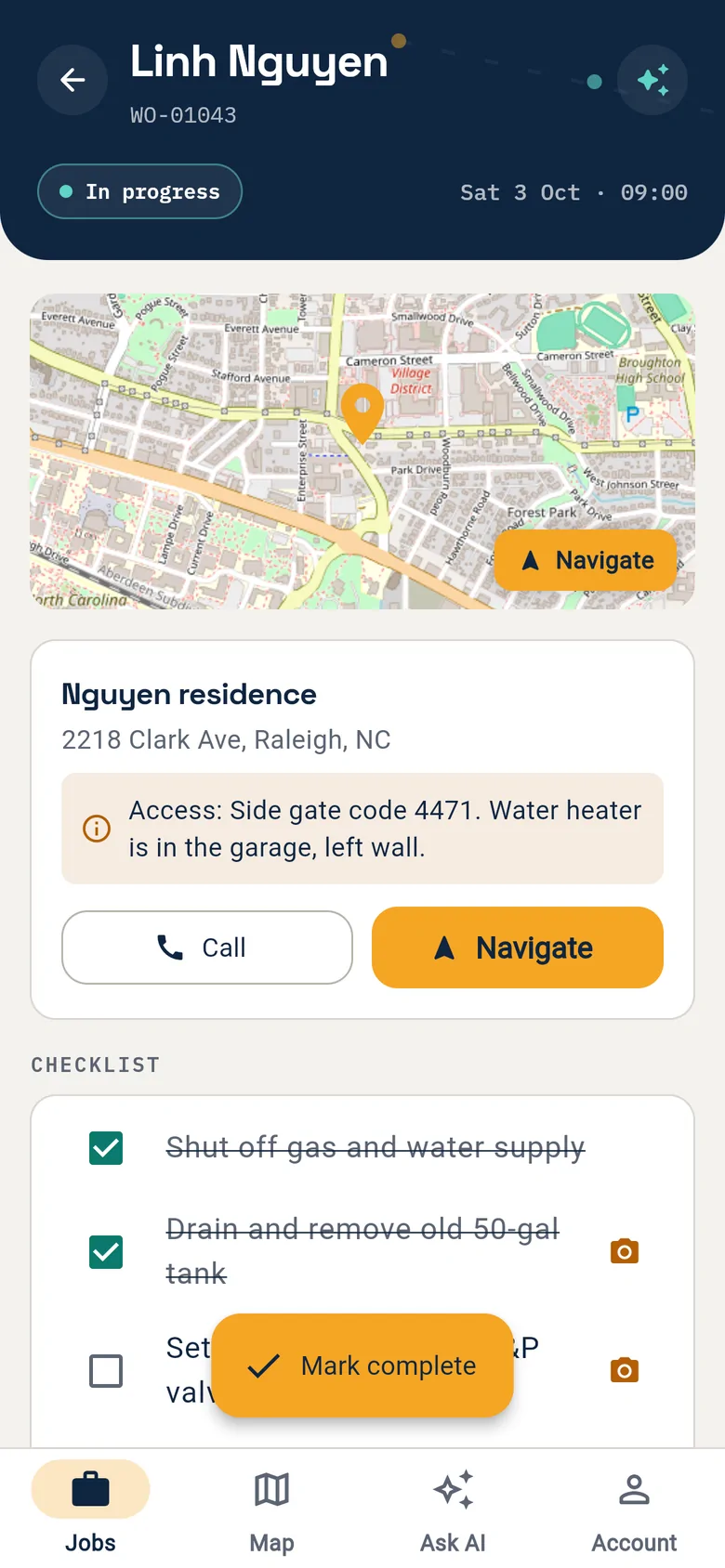
Field work · M8 + Flutter app · iOS and Android现场 · M8 + Flutter App · iOS 与 AndroidLive today已上线Phases 1 – 2: time, expenses, deliverables阶段 1 – 2:工时、费用、成果物

Crews have the app today. Timesheets come next.勘测队今天就在用,下一步加上工时与成果物。
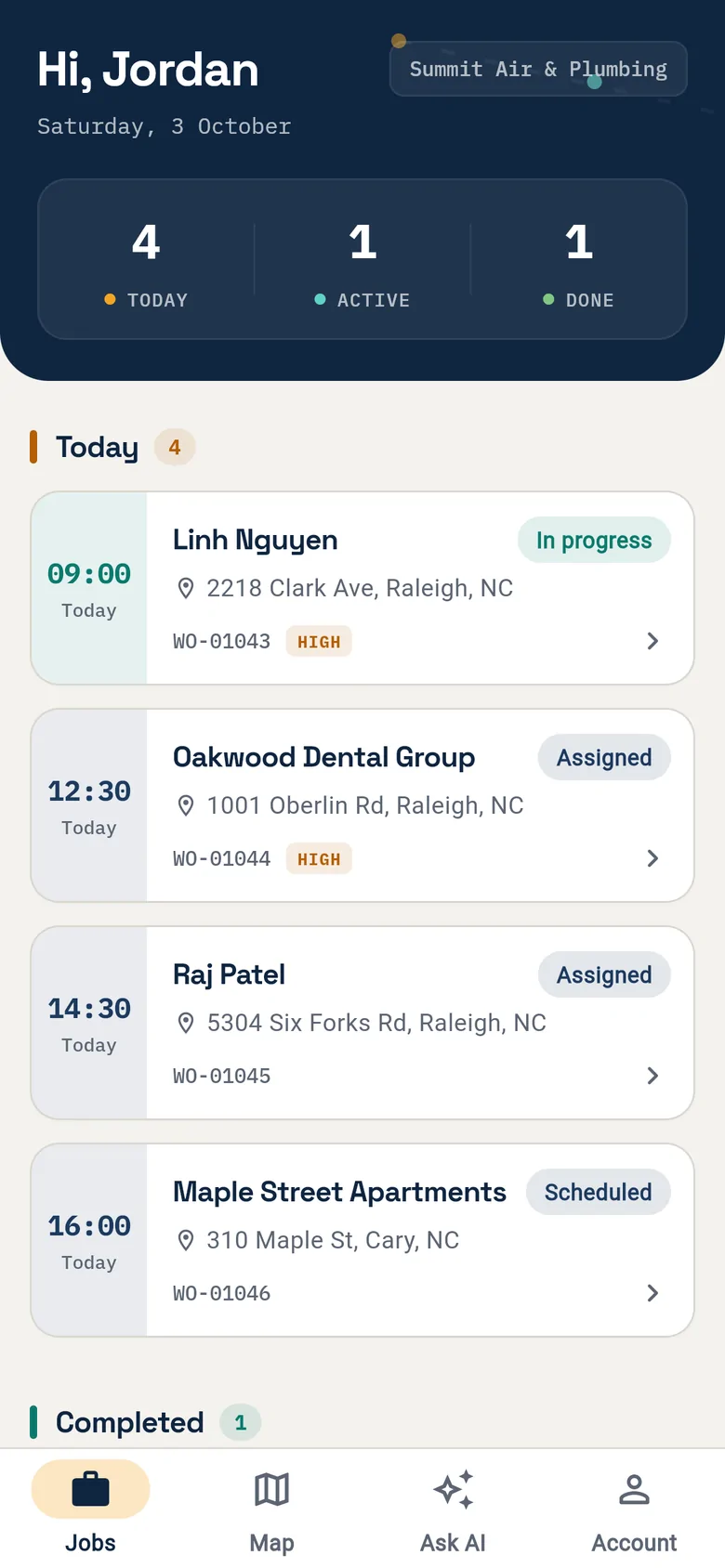
Today's site visits
01Today's site visits今日现场任务Times, addresses and priority at a glance.时间、地址、优先级一目了然。
The visit on one screen
02The visit on one screen一次现场一屏Access notes, call, navigate, checklist.进场备注、打电话、导航、清单。
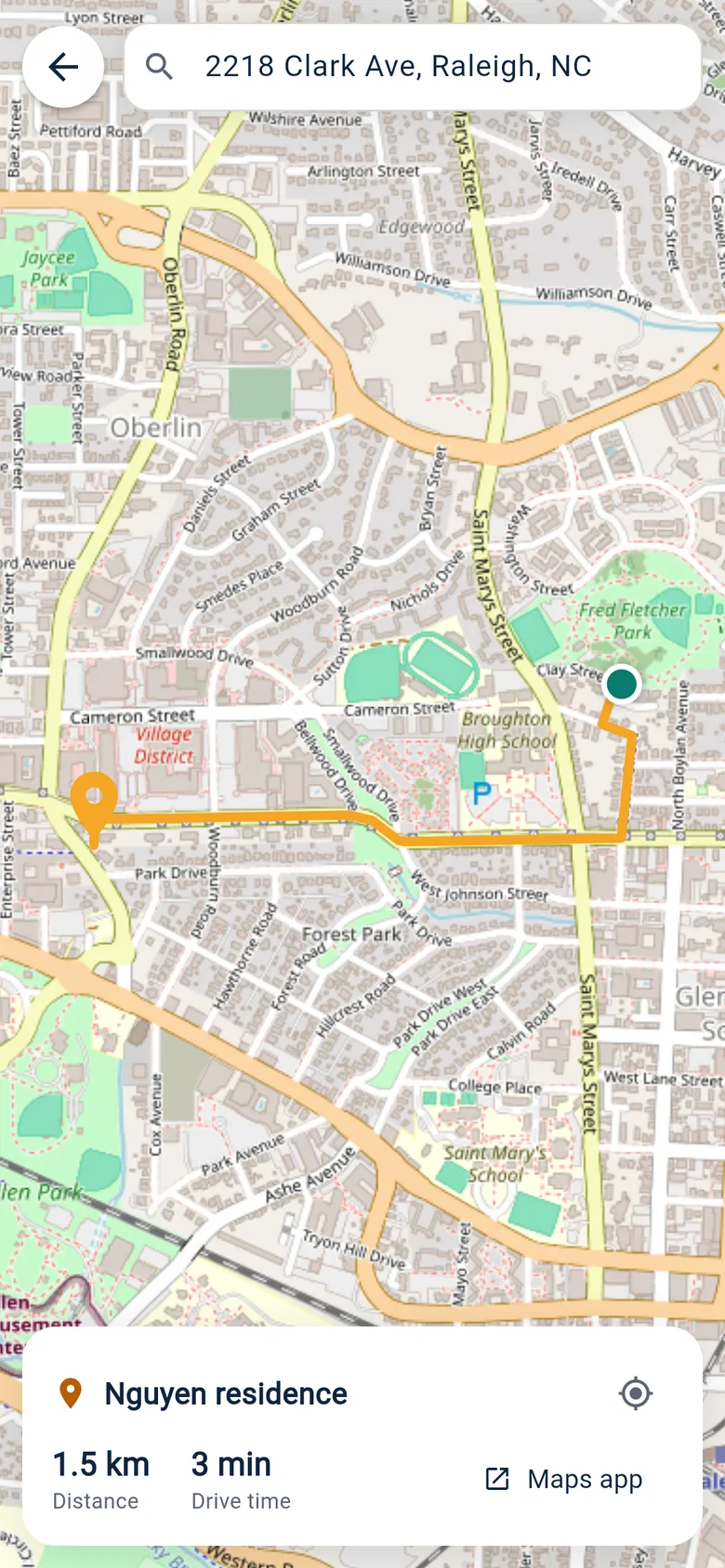
Directions to the site
03Directions to the site导航到现场Route, distance and drive time.路线、距离和车程。
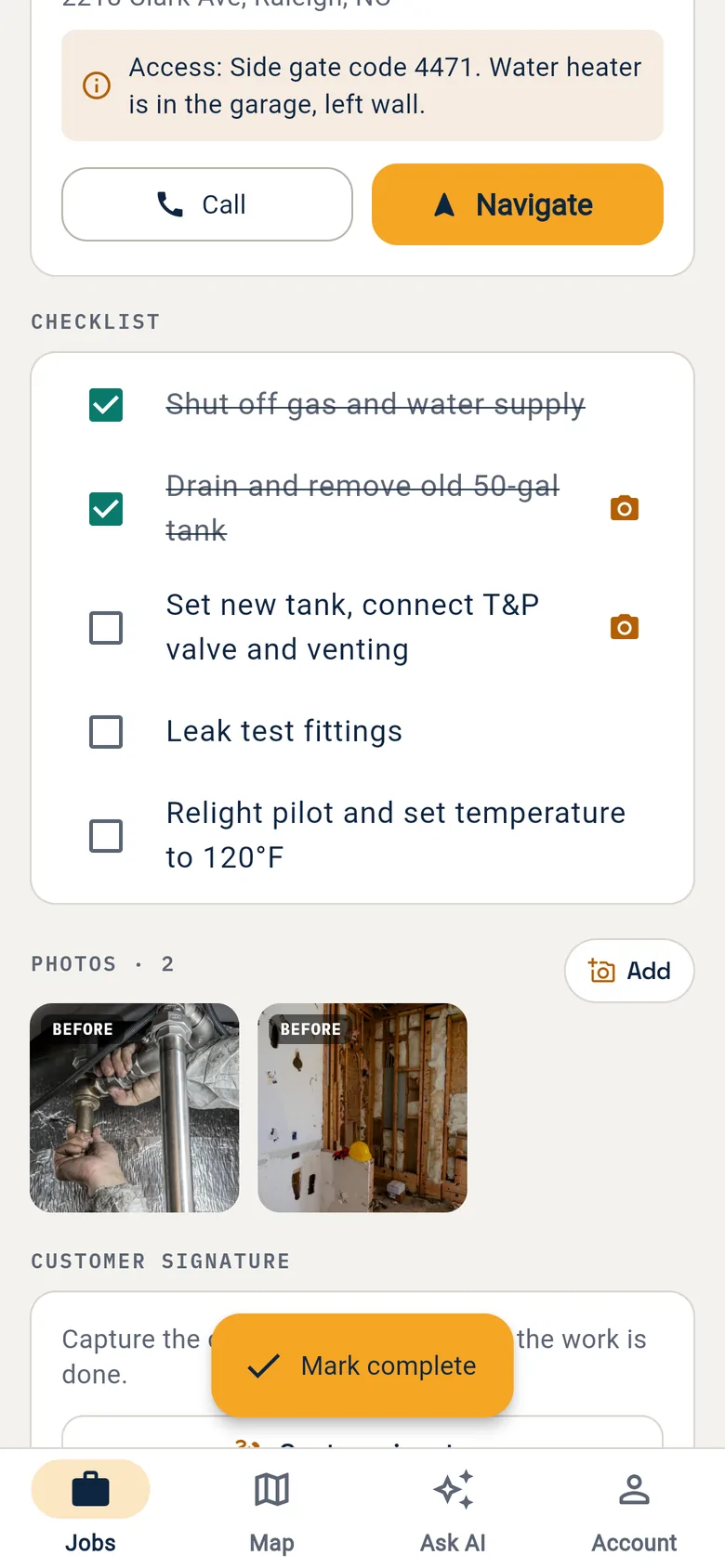
Site photos as evidence
04Site photos as evidence现场照片作凭证Photo steps, before and after — soon tied to a deliverable.拍照步骤、前后对比——即将可挂到成果物。
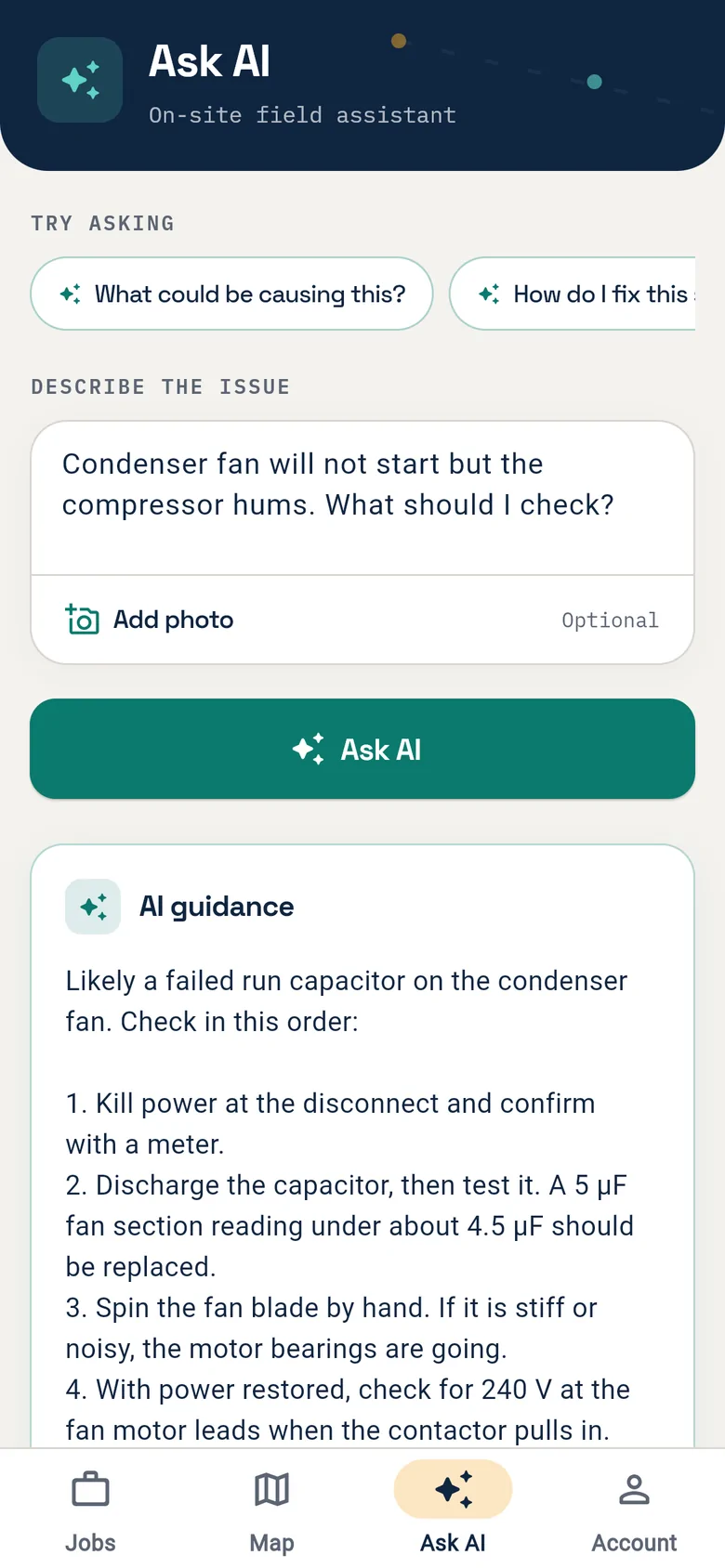
AI advisor on site
05AI advisor on siteAI 现场顾问Describe it, get step-by-step checks.描述问题,拿到逐步排查建议。

Note备注Current release, sample data. Phase one adds time entry by labour category, expense receipts, a survey checklist tied to deliverables and a contractor role limited to its own tasks; field tasks stay bridged to project tasks, never merged.当前版本,示例数据。一期新增:按工时类别的工时录入、费用凭证、挂到成果物的勘测清单,以及只看自己任务的承包商角色;现场任务与项目任务桥接,不合并。

FieldsBrain
Section图名 Field app现场 App
Sheet图号 17 / 33
Inspector in a hard hat and hi-vis vest checking a window in a finished room18
Source来源
Plan §5.2策划案 §5.2
Rule规则
No gate, no next step没过关卡,不进下一步
Fig. 18 — Inspection before sign-off图 18 — 签收前的检查
End-to-end flow · Business gates端到端流程 · 业务门禁

Seven gates nobody can talk their way past七道谁也绕不过去的关卡

Gate关卡
Entry condition进入条件
Control that cannot be bypassed禁止绕过的控制
Proposal → contract方案转合同
Proposal version frozen; amount and scope explicit; client choice recorded方案版本已冻结;金额与范围明确;客户选择已记录
No contract is ever generated from an editable draft不允许从可编辑草稿生成正式合同
Contract → project合同转项目
Contract in effect; idempotency key not yet consumed合同已生效;幂等键未消费
No duplicate project, no duplicate deposit invoice不重复建项目,不重复开定金发票
Time submission工时提交
Project required; billable time meets task, category and note rules项目必填;计费工时满足任务、类别、备注规则
No cross-tenant project; no entry into a closed period不可提交跨租户项目或已关闭期间的工时
Publishing a deliverable成果物对外发布
The specific version passed internal check and approval指定版本完成内部检查与批准
The portal never shows drafts, comments or unpublished versions门户看不到内部草稿、评语和未发布版本
Advancing a change变更推进
Scope, cost, schedule impact and approval status recorded已记录范围、费用、工期影响和审批状态
Warning whenever unapproved; a hard block only by policy, release audited未批准时必须出现警告;硬阻断只由策略触发,解除留痕
Issuing an invoice发票出具
Billing basis approved and not already billed计费依据已批准且未重复计费
AI and background jobs only draft; issuing needs a permission and leaves an audit trailAI 和后台任务只能生成草稿;正式出具需权限并留审计
Engineering approval工程批准
The named discipline lead confirms in person指定专业负责人人工确认
AI is never the approver and never forges a sign-offAI 不得成为批准人,不得伪造签批记录
FieldsBrain
Section图名 Gates门禁
Sheet图号 18 / 33
Data model · §7数据模型 · §7

Facts stored once, derived numbers rebuilt, progress never counted in tables事实只存一份,派生数字可重建,不用表数算完成度

Core entities核心实体

Client ── Contact
  │
  ├── Lead ── Deal ── Estimate ── Proposal ── SalesContract
  │                                            ├── ChangeOrder
  │                                            └── BillingSchedule
  │
  └── Project ── Phase / Milestone ── Task ── WorkOrder
                  │                     ├── TimeEntry / ExpenseEntry
                  │                     └── ResourceAssignment
                  ├── Budget / VendorBill
                  └── Deliverable ── Version ── Review / AgencySubmission
                                           └── TransmittalItem

SalesContract / BillingSchedule + approved Time / Expense
  └── Invoice ── Payment / Reconciliation

Sixteen state machines, from lead to transmittal — each with transitions, roles, preconditions, side effects, idempotency, compensation, notifications, audit and API error codes.16 个状态机,从线索到发文——每个都定义允许迁移、角色、前置条件、副作用、幂等、补偿、通知、审计与 API 错误码。

Conventions强制约定

  • Every business table carries tenant_id, and it is part of unique keys and risky joins — not just a global scope业务表都带 tenant_id,并进入唯一约束和高风险关联——不只靠全局 Scope
  • Queues, schedulers, exports, webhooks and console commands set and clear tenant context explicitly队列、定时任务、导出、Webhook 和命令显式设置、清理租户上下文
  • Money in minor units plus currency; rates stored with their basis or a snapshot金额用最小货币单位加币种;费率保存适用依据或快照
  • UTC storage; weeks, deadlines and report periods computed in the tenant's timezoneUTC 存储;按租户时区计算工时周、截止日和报表期间
  • Document numbers from transaction-safe sequences — never count + 1单据编号用事务安全序列——禁止 count + 1
  • Approvals and financial events are append-only; history is never overwritten审批和财务事件追加式记录,不通过覆盖字段抹去历史
  • JSON only for low-coupling config and snapshots — never for ID lists that need integrity, queries or permissionsJSON 只用于低耦合配置和快照——不用于需要引用完整性、查询或权限判断的 ID 列表

Table counts are not progress. Phase 0 produces one schema inventory — existing, new, extended, fact or derived, retention, migration — and effort is estimated by flows, rules, integrations and tests.表数量不代表完成度。阶段 0 产出唯一的数据字典——现有、新建、扩展、事实或派生、保留、迁移——工作量按流程、规则、集成和测试估算。

FieldsBrain
Section图名 Data数据
Sheet图号 19 / 33
Architecture, integrations and security · §8技术架构、集成与安全 · §8

Same monolith, same conventions — plus reliable delivery, idempotency and threat models同一个单体、同一套约定——加上可靠投递、幂等和威胁建模

Code & events代码与事件

  • Models stay in app/Models; services in app/Services/<Domain>; enums on HasTransitions — no new namespace layers without an ADR模型留在 app/Models;服务在 app/Services/<领域>;枚举复用 HasTransitions——不经 ADR 不加命名空间层级
  • Policies are the authorisation; query scopes are not授权靠 Policy;查询 Scope 不是授权
  • Events dispatch after commit; listeners and jobs are safe to retry; critical automation goes through an outbox (ADR)事件提交后分发;监听与任务可安全重试;关键自动化走 outbox(ADR 确定)
  • Queues split four ways: interactive notifications, integration sync, reporting, AI队列分四类:交互通知、集成同步、报表聚合、AI 作业
  • /api/v1 stays compatible; portal tokens separate from staff tokens; webhooks verified, time-boxed, rate-limited, de-duplicated/api/v1 向后兼容;门户 token 与员工 token 分离;Webhook 验签、时间窗、限流、去重

Integrations · confirm in phase 0外部集成 · 阶段 0 确认

  • Microsoft Graph / SharePoint — auth mode, site scope, throttling, subscription renewal, search path, client IT contactMicrosoft Graph / SharePoint——授权模式、站点范围、限流、订阅续期、搜索路径、客户 IT 联系人
  • Existing payment gateway — currencies and regions, refunds, partial payments, callback idempotency现有支付网关——币种与地区、退款、部分付款、回调幂等
  • QuickBooks / Xero — which side is the source of truth; account, tax-code and customer mappingQuickBooks / Xero——哪一侧是事实源;科目、税码、客户映射
  • Email / SMS / WhatsApp — consent and opt-out, templates, delivery tracking, no sensitive data邮件 / 短信 / WhatsApp——同意与退订、模板、投递追踪、敏感信息限制
  • AI providers — data retention, region, model list, budget, fallback and exit strategyAI 提供商——数据保留、区域、模型清单、预算、降级与退出策略

Security controls安全控制

  • Tenancy — policy + scope + composite constraints + cross-tenant tests; explicit context in jobs多租户——Policy + Scope + 复合约束 + 越权测试;后台任务显式租户上下文
  • Portal — external identity, object-level grants, short-lived revocable links, re-authentication for sensitive actions门户——外部身份、对象级授权、短期可撤销链接、敏感动作再验证
  • SharePoint — least privilege, encrypted secrets with rotation, webhook validation, permission changes syncedSharePoint——最小权限、密钥加密与轮换、webhook 校验、权限变化同步
  • Finance — separation of duties, no floating-point money, idempotency, human issuance财务——职责分离、金额不用浮点、幂等、正式出具需人工权限
  • AI / RAG — authorisation before retrieval, citations, prompt-injection defences, schema validationAI / RAG——检索前授权、来源引用、提示注入防护、结构化校验
  • Exports & logs — authorised the same way; tokens, file bodies and payment data never logged导出与日志——同样授权;不记录 token、文件正文和支付敏感数据

Phase 0 runs one threat model each for the portal, SharePoint, AI retrieval and financial approvals.阶段 0 为门户、SharePoint、AI 检索、财务审批各完成一次威胁建模。

FieldsBrain
Section图名 Architecture架构
Sheet图号 20 / 33
Quality · §8.6 and §11质量 · §8.6 与 §11

Eight known defects fixed first, then eight layers of tests先修掉八个已知缺陷,再压上八层测试

Fix before the feature that depends on it在依赖它的功能上线前修复8

  • R-03Money rounding mode unspecified — before M3 / M16 amount calculationsR-03金额舍入模式未指定——M3 / M16 金额计算开发前
  • R-04Payment calls the gateway inside a DB transaction, no idempotency guard — before portal paymentsR-04付款在数据库事务内调用网关、缺幂等守卫——门户付款接入前
  • R-07tenant_id IS NULL treated as super-admin — before any external identityR-07tenant_id IS NULL 被当作超管——开放外部身份前
  • R-13Three estimate-approval paths behave differently — before proposal / contract conversionR-13三条估价审批路径副作用不一致——方案 / 合同转化链路前
  • R-14Work-order states with no entry point — before task ↔ work-order mappingR-14部分工单状态没有入口——任务与工单状态映射前
  • R-15Events and webhooks fired before commit — before new automationR-15事件 / Webhook 在事务提交前发出——新自动化上线前
  • R-23Document numbers by count + 1 — before project / contract / transmittal numberingR-23单据编号用 count + 1——新项目 / 合同 / 发文编号启用前
  • R-30Uploads without a tenant prefix — before portal uploads and deliverable attachmentsR-30上传路径缺少租户前缀——门户上传和成果物附件接入前

Test layers测试层级8

  • Unit — money, rates, tax, transitions, scheduling scores, metric formulas单元——金额、费率、税、状态迁移、排班评分、指标公式
  • Integration — DB constraints, queue retries, Graph / payment / accounting adapters, webhook idempotency集成——数据库约束、队列重试、Graph / 支付 / 会计适配器、Webhook 幂等
  • Contract — OpenAPI, mobile compatibility, external driver samples契约——OpenAPI、移动端兼容、外部驱动样例
  • Authorisation — same tenant other role, other client, other tenant, revoked grant — for every new resource授权——同租户不同角色、跨客户、跨租户、已撤销授权——每个新资源都覆盖
  • E2E — proposal to project, time to invoice, deliverable to transmittal, portal approve and payE2E——方案到项目、工时到发票、成果物到发文、门户审批与支付
  • Migration — anonymised snapshot backfill, reconciliation, roll forward and back迁移——匿名快照回填、对账、前滚与回滚
  • AI evals — permission leaks, source correctness, extraction accuracy, reconciliation recall, injectionAI 评测——权限泄露、来源正确性、抽取准确率、差异召回、提示注入
  • Non-functional — performance, concurrent numbering, duplicate callbacks, queue backlog, sync recovery非功能——性能、并发取号、重复回调、队列积压、同步恢复

Done means: rules and failure paths built; migration and rollback ready; unit, integration, authorisation and required E2E green; OpenAPI, events, permissions, plan features and UI states updated; audit, logs, metrics and runbook in place; accepted by product and QA against the REQ ID. "Fixed" means the regression, failure-path and concurrency tests pass — not that the code changed.Done 的定义:规则与异常路径已实现;迁移与回滚就绪;单元、集成、授权与必要 E2E 通过;OpenAPI、事件、权限、套餐与 UI 状态同步更新;审计、日志、指标、运行手册就绪;产品与 QA 按需求 ID 验收。“已修复”的判据是回归、失败路径和并发用例通过——不是“代码改过了”。

FieldsBrain
Section图名 Quality质量
Sheet图号 21 / 33
Roadmap · §9交付路线图 · §9

Seven phases, each shippable, each with an exit gate七个阶段,每个都能独立上线,每个都有出口门禁

0 · Baseline0 · 基线
1 · Sales → project + time1 · 销售到项目 + 工时
2 · Deliverables & approval2 · 设计交付与审批
3 · Portal & finance3 · 门户与财务
4 · Analytics & resources4 · 分析与资源
5 · AI5 · AI 治理
6 · Launch6 · 上线
W0
W4 · baseline frozenW4 · 基线冻结
W14 · first project in WBS, time loggedW14 · 首个项目进 WBS,可记工时
W24 · deliverable chain liveW24 · 成果物链路可用
W32 · portal + billing loopW32 · 门户 + 计费闭环
W40 · dashboardsW40 · 看板
W46 → W50 liveW46 → W50 上线
Phase · weeks阶段 · 周数
Delivers交付内容
Exit gate出口门禁
0 · Discovery0 · 发现与基线4 wk
Process walk-through, schema inventory, permission and metric dictionaries, ADRs, tech-debt check, migration inventory, UAT cases流程走查、数据字典、权限矩阵与指标字典、ADR、技术债验证、迁移盘点、验收用例
P0 ADRs closed; SharePoint spike works; ROM re-estimated; UAT data readyP0 ADR 关闭;SharePoint spike 成功;ROM 重估;UAT 数据就绪
1 · Sales to project1 · 销售到项目10 wk
Contacts, M2 – M5 minimum loop, sales contract, project / WBS, basic time entry, idempotent contract → project联系人、M2 – M5 最小闭环、销售合同、项目 / WBS、基础工时录入、合同转项目幂等链路
Pilot project runs proposal → contract → project; all time on a project; cross-tenant tests green试点项目从方案转合同、转项目;所有工时挂项目;跨租户测试通过
2 · Deliverables2 · 设计交付10 wk
M14, SharePoint delta sync, three tracks, transmittals, weekly time / expense approval, work calendars, read-only capacity viewM14、SharePoint 增量同步、三轨状态、发文、周工时 / 费用审批、工作日历、只读容量视图
A real deliverable end to end; sync recovery and de-dup tests pass; periods lock; capacity drills down真实成果物完整走通;同步补偿 / 去重测试通过;期间可锁定;容量可下钻
3 · Portal & finance3 · 门户与财务8 wk
M15 with signing and summary, M16, change gates, invoice drafts, vendor bills, WIP, retainers, AR, accounting reconciliationM15(含签署与摘要)、M16、变更门禁、开票建议、供应商发票、WIP、预付款、应收、会计对账
Portal IDOR tests green; one real period reconciles; duplicate callbacks never double-post门户越权测试全绿;一个真实账期对账一致;重复回调不重复记账
4 · Analytics4 · 分析与资源8 wk
M17, labour-demand forecast, staffing suggestions, drill-down, data freshnessM17、人力需求预测、排班建议、指标下钻、数据新鲜度
Metrics reconcile with a sample project; suggestions explainable, never auto-assign指标与样本项目手工对账;排班建议可解释且不自动分配
5 · AI governance5 · AI 治理6 wk
M18 in batches, eval sets, citations, draft confirmation; file-content search only if the ADR allowsM18 分批上线、评测集、来源引用、草稿确认;文件正文搜索仅在 ADR 允许时交付
High-risk evals pass; zero unauthorised recall; AI cannot advance a controlled state高风险用例评测达标;无权限召回为 0;AI 不可推进受控状态
6 · Launch6 · 上线4 wk
Backfill, dual-run reconciliation, training, runbooks, rollback drill, cut-over数据回填、双跑对账、培训、运行手册、回滚演练、生产切换
Critical UAT 100%; P0 / P1 = 0; rollback, monitoring, on-call ready关键 UAT 100%;P0 / P1 为 0;回滚、监控、值班就绪
FieldsBrain
Section图名 Roadmap路线图
Sheet图号 22 / 33
Critical path · §9.2 – 9.4关键路径 · §9.2 – 9.4

Six things only the client can provide — and if they slip六件只有客户能提供的事——以及晚了怎么办

Dependency依赖
Ready by · owner最晚就绪 · 责任方
If not ready未就绪时
SharePoint test site, app, sample foldersSharePoint 测试站点、应用、样本结构
Week 2 · client IT + SharePoint lead第 2 周 · 客户 IT + SharePoint 专项
Model and mocks continue; the real integration is never claimed done继续做模型和 mock;真实集成不得宣称完成
Rate cards, billing, tax, accounting truth费率卡、计费方式、税、会计事实源
Week 3 · client finance + product第 3 周 · 客户财务 + 产品
M16 rules frozen; reversible spikes only冻结 M16 正式规则,只做可撤销 spike
Portal identity and grant samples门户身份方案与授权样本
Week 2 · client IT + product + security第 2 周 · 客户 IT + 产品 + 安全
No external trial; threat model and prototype first不开放外部试用;先做威胁模型和授权原型
Real pilot project, data, UAT people真实试点项目、历史数据、UAT 参与人
Week 3 · pilot client + product第 3 周 · 试点客户 + 产品
Dates stay forecasts; no committed go-live日期保持预测态,不发布承诺上线日
E-signature jurisdiction and evidence电子签署法域与证据要求
Week 4 · client / legal + product第 4 周 · 客户 / 法务 + 产品
Upload signed documents instead; no compliance claims降级为上传已签文件;不宣传签署合规性
Devices, weak network, offline boundary设备、弱网与离线边界
Week 3 · field reps + Flutter + QA第 3 周 · 现场代表 + Flutter + QA
Online entry only; offline writes become a change request仅承诺在线录入;离线写入作为变更评估

Go / No-GoGo / No-Go 规则

  • P0 dependency without owner, date and artifact → the phase does not startP0 依赖缺责任人、日期和产物 → 对应阶段不开工
  • Mock results never stand in for production acceptancemock 结果不能替代生产验收
  • Critical path slips over two weeks → milestones, ROM and scope re-issued关键路径变化超过 2 周 → 重发里程碑、ROM 和范围取舍

Release and rollback上线与回滚

  • Per-tenant flags, pilot → internal → batches; expand → backfill → switch → contract按租户开关:试点 → 内部 → 逐批;expand → backfill → switch → contract
  • Sync runs read-only first; each phase has a rollback point and roll-forward script外部同步先只读;每个阶段都有回滚点和前滚脚本
  • Brand, homepage and demo switch runs from phase 1, checked before pilot UAT品牌、首页、Demo 切换从阶段 1 并行,试点 UAT 前通过检查
FieldsBrain
Section图名 Dependencies依赖
Sheet图号 23 / 33
Effort and team · §10工作量与团队 · §10

The floor is 1,035. ROM: 1,035 – 1,500 person-days.1,035 是下界,不是预算:ROM 1,035 – 1,500 人日

Work package工作包
ROM daysROM 人日
Confidence置信度
Phase 0, hardening, data / permission baseline阶段 0、基础加固、数据 / 权限基线
60 – 85
Medium中
Sales to contract (M2 – M5)销售到合同(M2 – M5)
150 – 210
Medium中
Projects / WBS, minimal field bridge (M6 / M8)项目 / WBS、最小现场桥接(M6 / M8)
100 – 140
Medium中
Time, expenses, approval, capacity, suggestions (M13)工时、费用、审批、产能、排班建议(M13)
100 – 140
Medium中
Deliverables and SharePoint (M14)成果物与 SharePoint(M14)
150 – 220
Low低
Client portal (M15)客户门户(M15)
70 – 100
Medium–low中低
Billing and financial control, incl. vendor bills (M16)计费与财务控制,含供应商发票(M16)
100 – 150
Medium–low中低
Dashboards and metrics (M17)看板与指标(M17)
60 – 90
Medium中
AI governance and retrieval (M18)AI 治理与检索(M18)
70 – 120
Low低
Flutter extensionsFlutter 扩展
50 – 70
Medium中
QA, migration, UAT, docs, launchQA、迁移、UAT、文档、上线
100 – 140
Medium中
Brand, homepage, demo, materials品牌、首页、Demo、材料切换
25 – 35
High高
Core scope, phase one一期核心范围合计
1,035 – 1,500
ROM
M7 subconsultant profiles / portal — conditional, outside the totalM7 分包顾问档案 / 门户——条件项,不计入合计
20 – 30
Low低
Authorised envelope including M7含 M7 的授权包络
1,055 – 1,530
ROM
≈ 50weeks sequential · 42–46 with parallel streams周顺序总窗 · 并行可压到 42–46
5 – 6.5average FTE平均有效投入 FTE
10 – 12people at peak峰值参与人数
Role角色
Avg – peak平均 – 峰值
Product / business analysis产品 / 业务分析
1.0
Tech lead — ADRs, data and security architecture技术负责人——ADR、数据与安全架构
0.5 – 1.0
Laravel backendLaravel 后端
2.0 – 3.0
Livewire / UILivewire / UI
1.0 – 1.5
FlutterFlutter
0.3 – 1.0
QA / automationQA / 自动化
1.0 – 1.5
SharePoint specialistSharePoint 专项
0.2 – 1.0
Data / AI数据 / AI
0.2 – 1.0
UI / content designUI / 内容设计
0.2 – 0.5

ROM covers development, review, tests, fixes, migrations, docs and UAT support — not a fixed price; licences, approval waits, hardware, legal or tax advice and manual data cleansing are excluded. P50 / P80 follow phase 0. Growth modules M1 / M9 – M12 (about 440 days) are not included. 1,035 days over 50 weeks is 4.1 FTE; 1,268 is 5.1; 1,530 is 6.1.ROM 含开发、评审、测试、修复、迁移、文档和 UAT 支持,不等于固定总价;不含许可费、审批等待、硬件、法务 / 税务意见和人工数据清洗。P50 / P80 在阶段 0 后重算。增长模块 M1 / M9 – M12(约 440 人日)不计入。1,035 人日摊到 50 周是 4.1 FTE;1,268 是 5.1;1,530 是 6.1。

FieldsBrain
Section图名 Effort & team工作量与团队
Sheet图号 24 / 33
Risks · §12风险 · §12

Eight ways this goes wrong — and the signal that tells us early八种翻车方式——以及提前发现它们的信号

01Estimate估算

Old plan mistaken for built features把原策划案目标当成已有功能

Signal: developers find core tables missing. Response: the code baseline rules; schema inventory in phase 0.信号:开发发现核心表不存在。对策:以代码基线为准;阶段 0 做 schema inventory。

02SharePointSharePoint

Authorisation or structure unstable授权或结构不稳定

Signal: no least-privilege app or test site. Response: client IT from week 1; mock and metadata-only fallback; other domains unblocked.信号:拿不到最小权限应用或测试站点。对策:第 1 周启动客户 IT;mock + 只存元数据降级,不阻塞其他域。

03Data boundary数据边界

File search needs file copies正文检索要复制文件

Signal: AI use cases need file bodies. Response: separate ADR; structured data only by default; content search as later scope.信号:AI 用例需要文件正文。对策:独立 ADR;默认只检索结构化数据;正文检索拆为后续范围。

04Portal门户

Wrong identity model身份模型选错

Signal: magic links cannot serve long-term collaboration or SSO. Response: phase-0 prototype and threat model; external identity apart from staff.信号:魔术链接无法满足长期协作或 SSO。对策:阶段 0 原型与威胁建模;外部身份与内部用户分离。

05Finance财务

Billing rules never agreed计费规则定不下来

Signal: finance disagrees on WIP, rates or tax. Response: rate-card and metric workshop; freeze rules after reconciling a sample project.信号:财务对 WIP、费率、税口径有分歧。对策:费率卡与指标工作坊;样本项目对账后冻结规则。

06Scope范围

Fifty weeks is too much50 周范围过大

Signal: throughput below plan for two phases running. Response: keep shipping vertical slices; modules 1–6 first; M17 and M18 can move later.信号:连续两个阶段吞吐低于计划。对策:保持纵向发布;优先模块 1–6;M17、M18 可后移。

07AIAI

Unreliable or over-reaching不可靠或越权

Signal: unsourced answers, cross-tenant recall. Response: authorisation before retrieval, citations, eval gates, draft state, kill switch.信号:无来源回答、跨租户召回。对策:权限前置、来源引用、评测门禁、草稿态、kill switch。

08Adoption采用率

Timesheets stay offline工时还是线下记

Signal: staff keep side logs or batch-fill at weekends. Response: training, mobile usability checks, reminders, an adoption metric — fix friction before enforcing gates.信号:员工持续线下记工或周末集中补录。对策:培训、移动端可用性验证、提醒、采用指标——先解决摩擦再强制门禁。

Also tracked: historical data quality (profile early, quarantine bad data, reconciliation reports); legal and tax differences between jurisdictions (configuration points, reviewed by advisers, never hard-coded); non-PDF scope squeezing the core loop (source labels, conditional budget, change control); provisional SLOs mistaken for commitments (all of them live in ADR-07 until benchmarked).同样在跟踪:历史数据质量(提前画像、隔离坏数据、对账报告);多法域的法务与税务差异(做成配置点,由顾问审查,不写死在代码里);非需求文档范围挤占核心闭环(来源标签、条件项预算、变更控制);暂定 SLO 被误当承诺(全部进入 ADR-07,基准测试后才写入 SLA)。

FieldsBrain
Section图名 Risks风险
Sheet图号 25 / 33
Decision log · §13决策台账 · §13

Seven decisions confirmed, seven claims corrected七项决策已确认,七处表述已纠正

Confirmed and kept · 2026-10-21已确认并保留 · 2026-10-217

  • D1Engineering-consultancy positioning replaces the field-service positioning. Homepage, demo, materials and sample data switch; the field-service base is still reused underneath.D1工程咨询定位替代现场服务对外定位。首页、Demo、材料与示例数据整体切换;底层现场能力继续复用。
  • D2SharePoint structure already exists; FieldsBrain adapts. No redesign of the client's site — permissions, mapping and exceptions still to confirm.D2SharePoint 已有结构,FieldsBrain 做适配。不重新设计客户站点——权限、映射和异常处理仍需确认。
  • D3Agency submissions are recorded by hand. No agency API.D3机构报送仅人工记录状态。不接审批机构 API。
  • D4Portal payments reuse the existing gateway. No new driver; billing and idempotency flows still to build.D4门户支付复用现有支付网关。不新建驱动;计费与幂等流程仍需补齐。
  • D5The first release includes staffing suggestions. Explainable candidates, not globally optimal auto-scheduling.D5首版需要资源调度建议。交付可解释的候选人,不承诺全局最优自动排班。
  • D6The pilot client is the firm that wrote the brief. Real flows and sample data at every phase gate.D6试点客户就是提出需求文档的工程咨询公司。各阶段用真实流程和样本数据验收。
  • D7Eight disciplines, fixed for the pilot. Delivered as tenant-level seed data; a management UI can wait (see C1).D7专业分类试点固定 8 类。作为租户级种子数据交付;管理界面可延后(见 C1)。

Clarified in review审阅后的澄清7

  • C1"Fixed 8, platform-level enum" → pilot default 8; the data model stays tenant-extensible.C1“固定 8 类、平台级枚举” → 试点默认 8 类;数据模型保持租户级可扩展。
  • C2"Unapproved changes always blocked" → warning by default; soft or hard gate by tenant / project policy; exceptions audited.C2“未批准变更一律阻断” → 默认警告;按租户 / 项目策略软或硬门禁;例外需审计。
  • C3"Metadata only, plus a full-text index" → ADR first; structured data only until authorised.C3“只存元数据,同时上全文索引” → 先做 ADR;未获授权前只检索结构化内容。
  • C4"M2–M5 reused directly" → only estimates, signatures and payments are adjacent; CRM, proposals and sales contracts are new builds.C4“M2–M5 直接复用” → 只有估价、签名、支付等相邻能力可复用;CRM、方案、销售合同仍是新建。
  • C5"About 20 / 94 new tables" → counts dropped; the schema inventory is the only measure.C5“新增约 20 / 94 张表” → 取消不可靠总数;以 schema inventory 为唯一口径。
  • C6"12.5 people, 50 weeks, 1,240 days" → average 5–6.5 FTE, peak 10–12; re-baseline after phase 0.C6“12.5 人、50 周、1,240 人日” → 平均 5–6.5 FTE、峰值 10–12 人;阶段 0 后重基线。
  • C7"M7 entirely conditional" → vendor and subconsultant bills with project cost move into M16 (REQ-6.5 / 7.2 / 7.8 / 8.5); only profiles, expiries and a subconsultant portal stay conditional.C7“M7 整体为条件项” → 供应商 / 分包发票与项目成本归集进入 M16(REQ-6.5 / 7.2 / 7.8 / 8.5);只有档案、资质到期和分包门户保留为条件项。
FieldsBrain
Section图名 Decisions决策
Sheet图号 26 / 33
Phase 0 · §13.3 and §14阶段 0 · §13.3 与 §14

Ten decisions in four weeks, then a commitment四周内关闭十项决策,然后方案才变成承诺

ID
Decision决策
Owner责任角色
By截止
ADR-01
Portal identity: magic link, long-lived account, SSO mix门户身份:魔术链接、长期账号、SSO 组合
Tech lead · product · client IT技术负责人 · 产品 · 客户 IT
W2
ADR-02
SharePoint permissions, library mapping, renewals, search pathSharePoint 权限、库映射、续期、搜索路径
SharePoint lead · securitySharePoint 专项 · 安全
W2
ADR-03
Rate cards, overtime, utilization, WIP, tax and multi-currency rules费率卡、加班、利用率、WIP、税和多币种规则
Product · finance产品 · 财务代表
W3
ADR-04
QuickBooks / Xero vs FieldsBrain as source of truthQuickBooks / Xero 与 FieldsBrain 的事实源
Tech lead · finance技术负责人 · 财务代表
W3
ADR-05
Migration scope: existing data into clients, contacts, projects, tasks现有数据到客户 / 联系人 / 项目 / 任务的迁移范围
Product · data lead产品 · 数据负责人
W3
ADR-06
Audit, file and AI data retention, deletion and residency审计与文件 / AI 数据保留、删除和地域要求
Security · legal / client安全 · 法务 / 客户代表
W3
ADR-07
Availability, performance, RPO / RTO and support-hours SLOs可用性、性能、RPO / RTO 和支持时段 SLO
Tech lead · business owner技术负责人 · 业务负责人
W4
ADR-08
E-signature jurisdictions, evidence pack, third-party driver boundary电子签署适用法域、证据包和第三方驱动边界
Product · legal / client产品 · 法务 / 客户代表
W4
SCOPE-01
M7 profiles / portal in phase one? M8 offline boundaryM7 档案 / 门户是否一期必需;M8 离线边界
Product · pilot client · tech lead产品 · 试点客户 · 技术负责人
W2
BASELINE-01
Appendix A interpretation (incl. REQ-8.5), priorities, critical UAT, provisional metrics附录 A 解释(含 REQ-8.5)、优先级、关键 UAT、暂定指标
Product · QA · pilot client产品 · QA · 试点客户
W4

Phase 0 hands over阶段 0 交付清单11

  • Real process swimlanes with exception paths客户真实流程泳道图及异常路径
  • Approved interpretation, priority, status and UAT case for every REQ ID每个需求 ID 的已批准解释、优先级、状态和 UAT 用例
  • Current and target schema inventory, data dictionary当前 / 目标 schema inventory 与数据字典
  • Role × object × action permission matrix角色 × 对象 × 动作权限矩阵
  • State machines and approval-gate table状态机与审批门禁表
  • Metric dictionary and sample-project reconciliation sheet指标字典和样本项目对账表
  • ADRs: SharePoint, portal identity, financial source of truth, AI retrievalSharePoint、门户身份、财务事实源、AI 检索等 ADR
  • Migration profile, pilot dataset, rollback plan迁移画像、试点数据集、回滚方案
  • Executable API and integration spike results可执行的接口 / 集成 spike 结果
  • Updated WBS, dependency graph, team allocation, P50 / P80更新后的 WBS、依赖图、团队分配和 P50 / P80 估算
  • Acceptance script for the phase-1 demonstrable slice第一阶段可演示纵向切片的验收脚本

Sign-off by product, tech, QA and the pilot client turns this review baseline into a committed plan.产品、技术、QA 与试点客户共同签字后,本案才从评审基线升级为执行承诺版。

FieldsBrain
Section图名 Phase 0阶段 0
Sheet图号 27 / 33
Requirements baseline · Appendix A.1 – A.2需求基线 · 附录 A.1 – A.2

Modules 1 and 2 — every line of the brief has an ID模块 1 与 2——需求文档的每一条都有编号

1 · Project management & milestones1 · 项目管理与里程碑6

  • REQ-1.1Project number, client, location, contract value, PMM6 project record项目编号、客户、地点、合同价值、项目经理M6 项目档案
  • REQ-1.2Phases, tasks, subtasks, dependencies, deadlinesM6 WBS阶段、任务、子任务、依赖和截止日M6 WBS
  • REQ-1.3Milestones and deliverables by disciplineM6 + M14按专业管理里程碑与成果物M6 + M14
  • REQ-1.4Status, blockers, overdue tasks, approval gatesM6 state machine / approvals项目状态、阻塞、逾期任务和审批关卡M6 状态机 / 审批
  • REQ-1.5Links to proposals, contracts, change orders, drawings, invoicesM4 / M5 / M6 / M14 / M16关联方案、合同、变更、图纸和发票M4 / M5 / M6 / M14 / M16
  • REQ-1.6Project history, decisions, meeting notes, communicationsM6 activity stream项目历史、决策、会议记录和沟通M6 项目活动流

2 · Time tracking & resource planning2 · 员工工时与资源规划8

  • REQ-2.1Daily time by employee, project, task and labour categoryM13 timesheets员工按日、项目、任务和工时类别登记时间M13 工时
  • REQ-2.2Billable versus non-billable hoursM13 rules区分可计费与不可计费工时M13 工时规则
  • REQ-2.3Mobile-friendly timesheets and timersM13 + Flutter移动友好的工时表和计时器M13 + Flutter
  • REQ-2.4Overtime, leave, holidays, utilizationM13 work calendar / capacity加班、休假、假日和利用率M13 工作日历 / 出勤 / 容量
  • REQ-2.5Weekly submission and supervisor approvalM13 periods / approval周提交和主管审批M13 周期 / 审批
  • REQ-2.6Workload, availability and future capacityM13 capacity view工作负荷、可用性和未来容量M13 容量视图
  • REQ-2.7Estimated versus actual hours for every taskM6 + M13每个任务的估算工时与实际工时M6 + M13
  • REQ-2.C1Every entry tied to a project, ideally a phase or taskM13 submission gate正式工时必须关联项目,条件允许时关联阶段 / 任务M13 提交门禁
FieldsBrain
Section图名 Requirements需求基线
Sheet图号 28 / 33
Requirements baseline · Appendix A.3 – A.4需求基线 · 附录 A.3 – A.4

Modules 3 and 4 — deliverables and the sales chain模块 3 与 4——成果物与销售链路

3 · Design production & deliverables3 · 设计生产与成果物管理9

  • REQ-3.1Deliverables by discipline: site layout, grading, stormwater, utilities, erosion control, roadway, permitting, surveyingM14 disciplines按场地、平整、雨洪、公用设施、水保、道路、许可、测量等专业管理成果物M14 专业 / 成果物
  • REQ-3.2Design task and deliverable trackingM6 + M14追踪设计任务与成果物M6 + M14
  • REQ-3.3SharePoint as the source of truth for design filesM14 Graph integrationSharePoint 作为设计文件真源M14 Graph 集成
  • REQ-3.4Internal review and approval trackingM14 reviews内部评审与批准追踪M14 评审
  • REQ-3.5Client review, comments, resubmission cyclesM14 + M15客户评审、评论和重新提交轮次M14 + M15
  • REQ-3.6Agency submission and permit statusM14 submissions, by hand机构报送与许可状态M14 机构报送,人工维护
  • REQ-3.7Revision history and transmittalsM14 versions / transmittals修订历史和 transmittalM14 版本 / 发文
  • REQ-3.8Who prepared, checked and approved each deliverableM14 decision records记录每个成果物的编制、校核、批准人员M14 决定记录
  • REQ-3.C1Internal completion separate from client / agency acceptanceM6 / M14 three tracks内部任务完成与客户 / 机构接受必须分离M6 / M14 多轨状态

4 · CRM, estimates, proposals, contracts4 · CRM、估价、方案与合同8

  • REQ-4.1Lead and inquiry trackingM2 / M3线索与询盘追踪M2 / M3
  • REQ-4.2Client contacts, project history, follow-up remindersM2 client 360 / activities客户联系人、项目历史和跟进提醒M2 客户 360 / 活动
  • REQ-4.3Proposal templates, scope, exclusions, assumptionsM4 proposal方案模板、范围、排除项和假设M4 Proposal
  • REQ-4.4Fee estimates by discipline, phase and labour categoryM3 estimate按专业、阶段、工时类别估价M3 Estimate
  • REQ-4.5Contract templates and electronic signaturesM5 + M15 portal signing合同模板与电子签署M5 + M15 门户签署入口
  • REQ-4.6Contract value, payment terms, billing methodM5 + M16合同价值、付款条件和计费方式M5 + M16
  • REQ-4.7Approved and pending amendmentsM16 change orders已批准与待批准的修订 / 变更M16 Change Order
  • REQ-4.C1Proposal → contract → project without duplicate entryM4 / M5 / M6 idempotent conversionProposal → 合同 → 项目转化不重复录入M4 / M5 / M6 幂等转化
FieldsBrain
Section图名 Requirements需求基线
Sheet图号 29 / 33
Requirements baseline · Appendix A.5 – A.6需求基线 · 附录 A.5 – A.6

Modules 5 and 6 — the client's window and the money模块 5 与 6——客户的窗口与钱

5 · Client portal5 · 客户门户9

  • REQ-5.1Secure login and company-specific accessM15 external identity / grants安全登录与公司级访问M15 外部身份 / 授权
  • REQ-5.2View contracts, approved change orders, invoicesM15 portal views查看合同、已批准变更和发票M15 门户视图
  • REQ-5.3Milestones, project status, upcoming deadlinesM15 project summary查看里程碑、项目状态和近期截止日M15 项目摘要
  • REQ-5.4Download approved deliverables and transmittalsM14 + M15下载已批准成果物和 transmittalM14 + M15
  • REQ-5.5Submit requests, comments and required documentsM15 collaboration提交请求、评论和所需文件M15 客户协作
  • REQ-5.6Approve proposals, change orders and deliverables where authorisedM15 approvals在获授权时批准方案、变更和成果物M15 审批
  • REQ-5.7Pay invoices online and view payment historyM15 + M16在线付款并查看付款历史M15 + M16
  • REQ-5.8Email notifications for important eventsM15 notifications重要事件邮件通知M15 通知
  • REQ-5.C1No internal task board, timesheets, private notes or profitM15 field / object authorisation门户不得暴露内部任务板、工时、私密备注和利润M15 字段 / 对象授权

6 · Billing, change orders, financial control6 · 计费、变更单与财务控制9

  • REQ-6.1Fixed-fee, hourly, milestone and recurring billingM5 + M16 billing rules固定费、小时费、里程碑和循环计费M5 + M16 计费规则
  • REQ-6.2Invoice schedules tied to contract milestonesM16 billing schedule发票计划关联合同里程碑M16 Billing Schedule
  • REQ-6.3Draft invoices from approved time or deliverablesM13 / M14 / M16 drafts从已批工时或成果物依据生成发票草稿M13 / M14 / M16 开票建议
  • REQ-6.4Change-order pricing, scope, schedule impact, approvalM16 change orders变更单包含价格、范围、工期影响和批准M16 Change Order
  • REQ-6.5Deposits, retainers, expenses, reimbursables, taxesM13 expenses + M16 incl. vendor bills定金、retainer、费用、可报销项和税M13 费用录入 + M16(含供应商发票)
  • REQ-6.6AR aging and overdue remindersM16 AR应收账龄和逾期提醒M16 应收
  • REQ-6.7Payment reconciliation and credit trackingM16 reconciliation付款核销与 credit 追踪M16 核销
  • REQ-6.8Contract value vs billed, collected and remainingM16 contract summary合同价值、已开票、已收款和剩余金额M16 合同财务摘要
  • REQ-6.C1Unapproved scope change warns before work proceedsM6 / M16 change gate未批准范围变更在继续工作前必须预警M6 / M16 变更门禁
FieldsBrain
Section图名 Requirements需求基线
Sheet图号 30 / 33
Requirements baseline · Appendix A.7 – A.9需求基线 · 附录 A.7 – A.9

Modules 7 and 8 — numbers and the assistant模块 7 与 8——经营数字与 AI 助手

7 · Management dashboard & analytics7 · 管理看板与分析8

  • REQ-7.1Revenue and backlog by month, client, project managerM17按月、客户、项目经理查看营收和 backlogM17
  • REQ-7.2Project budgets vs actual labour and expensesM6 budget + M13 / M16 cost + M17项目预算与实际人工 / 费用M6 预算 + M13 / M16 成本 + M17
  • REQ-7.3Employee utilization and billable realizationM13 + M17员工利用率和可计费实现率M13 + M17
  • REQ-7.4Projects over budget or behind scheduleM17 exceptions识别超预算或延期项目M17 异常项目
  • REQ-7.5Unbilled work and WIPM16 + M17未开票工作与 WIPM16 + M17
  • REQ-7.6AR, collection days, overdue invoicesM16 + M17应收、回款天数和逾期发票M16 + M17
  • REQ-7.7Forecast labour demand and staff capacityM13 + M17预测人员需求与容量M13 + M17
  • REQ-7.8Gross margin by project, client and service lineM17 margin按项目、客户和服务线查看毛利M17 毛利

8 · AI assistant & workflow automation8 · AI 助手与流程自动化8

  • REQ-8.1Search contracts, project documents, meeting notesM18 search检索合同、项目文档和会议记录M18 文档检索
  • REQ-8.2Summarise project status and outstanding client decisionsM18 summary汇总项目状态和待客户决策M18 状态摘要
  • REQ-8.3Draft proposals, status reports and client emailsM18 drafting起草方案、状态报告和客户邮件M18 草稿助手
  • REQ-8.4Flag missed deadlines, budget overruns, missing timesheetsM18 alerts标记延期、超预算和缺失工时M18 预警
  • REQ-8.5Extract invoice details and compare with approved work — AP by default, AR review optionalM16 vendor bills + M18提取发票信息并与批准工作比较——默认指收到的供应商 / 分包发票,本方发票复核可选M16 供应商发票 + M18
  • REQ-8.6Create draft tasks from meeting notesM18 extraction从会议记录创建任务草稿M18 任务抽取
  • REQ-8.7Generate weekly project-manager reportsM18 weekly report生成项目经理周报M18 周报
  • REQ-8.C1AI recommends, summarises and drafts; final actions stay with authorised peopleM18 global controlAI 只建议、总结和起草;终态操作必须按权限人工完成M18 全局控制

IDs are stable — split or supersede, never reuse; status runs proposed → approved → in delivery → verified / deferred / rejected with owner, date and reason; each ID has a positive case and, where permissions, state, money or integrations are involved, a negative one (UAT-<ID>). A.9 keeps the brief's screenshot hints as design references, not requirements.编号稳定——只能拆分或标记替代,不得复用;状态按 proposed → approved → in delivery → verified / deferred / rejected 流转,记录责任人、日期和原因;每个编号至少一个正向用例,涉及权限、状态、金额或集成时还要有反向用例(UAT-<编号>)。A.9 把需求文档截图里的界面提示记为设计参考,不是需求。

FieldsBrain
Section图名 Requirements需求基线
Sheet图号 31 / 33
What each person gets每个人得到什么

Better weeks for everyone who touches the project碰到这个项目的每个人,日子都好过一点
A man in a hard hat checking a wall with a spirit level, drawings in hand
Design设计
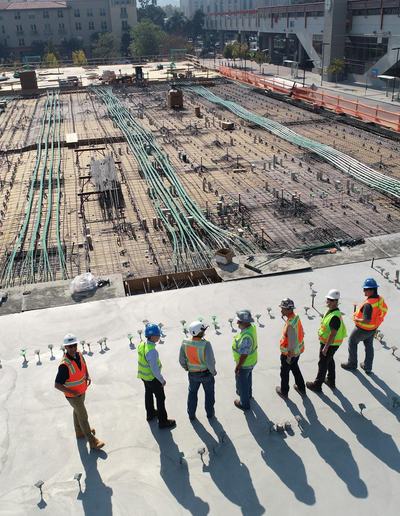
Site crew standing in a line on a concrete slab, casting long shadows
Survey crew勘测队
Inspector in a hard hat and hi-vis vest checking a window in a finished room
Inspection & permits检查与许可
A designer and a homeowner discussing an unfinished room, the homeowner holding a tablet
Client review客户评审
01

Principal负责人

Pipeline, backlog, WIP, AR and margin per project on one screen. The practice keeps running when you are out.管道、在手合同、WIP、应收和每个项目的毛利一屏看清。你不在,公司照常运转。

02

Project manager项目经理

WBS, budget vs actual, gates, change warnings and client approvals in one place. Problems show up early.WBS、预算对比、关卡、变更预警、客户审批都在一处。问题早早暴露。

03

Design lead专业负责人

Deliverables by discipline, prepared / checked / approved, three tracks — and SharePoint exactly as it was.按专业的成果物、编制 / 校核 / 批准、三条轨道——SharePoint 一点不用改。

04

Finance and admin财务与行政

Four billing methods, invoice drafts from approved work, AR aging, reconciliation, books in sync.四种计费方式、按批准工作生成的发票草稿、账龄、核销、账务同步。

05

Engineers and surveyors工程师与勘测人员

Timers, a weekly timesheet, expenses with receipts, site visits on the phone. No Friday-night reconstruction.计时器、周工时表、带凭证的费用、手机上的现场任务。周五晚上不用回忆补填。

06

Your clients你的客户

One login: status, approved documents, approvals, signing, payment history and payment — and nothing internal.一个登录:进度、已批准文件、审批、签署、付款历史和付款——看不到任何内部数据。

FieldsBrain
Section图名 Who benefits各角色
Sheet图号 32 / 33
Tower cranes silhouetted against the sky at dusk
Next step下一步

Phase 0 starts
with your real project.
阶段 0
从你的真实项目开始。

Platform demo平台底座演示
Owner login负责人账号
Field login现场账号
Password密码

Four weeks of phase 0 — process walk-through, schema inventory, ten decisions, a SharePoint spike, pilot data — then a plan signed by product, tech, QA and you. The demo is the current release with sample data: the base phase one builds on. It resets nightly.阶段 0 四周——流程走查、数据字典、十项决策、SharePoint spike、试点数据——然后是一份由产品、技术、QA 和你共同签字的计划。演示是当前版本加示例数据,即一期所依赖的底座,每晚重置。

Open the platform demo →打开平台演示 →

Scan with your phone camera用手机相机扫码